 Storeboard
/Blog/Google Play ASO
Google Play ASO: how indie devs optimize for Play, not just Apple
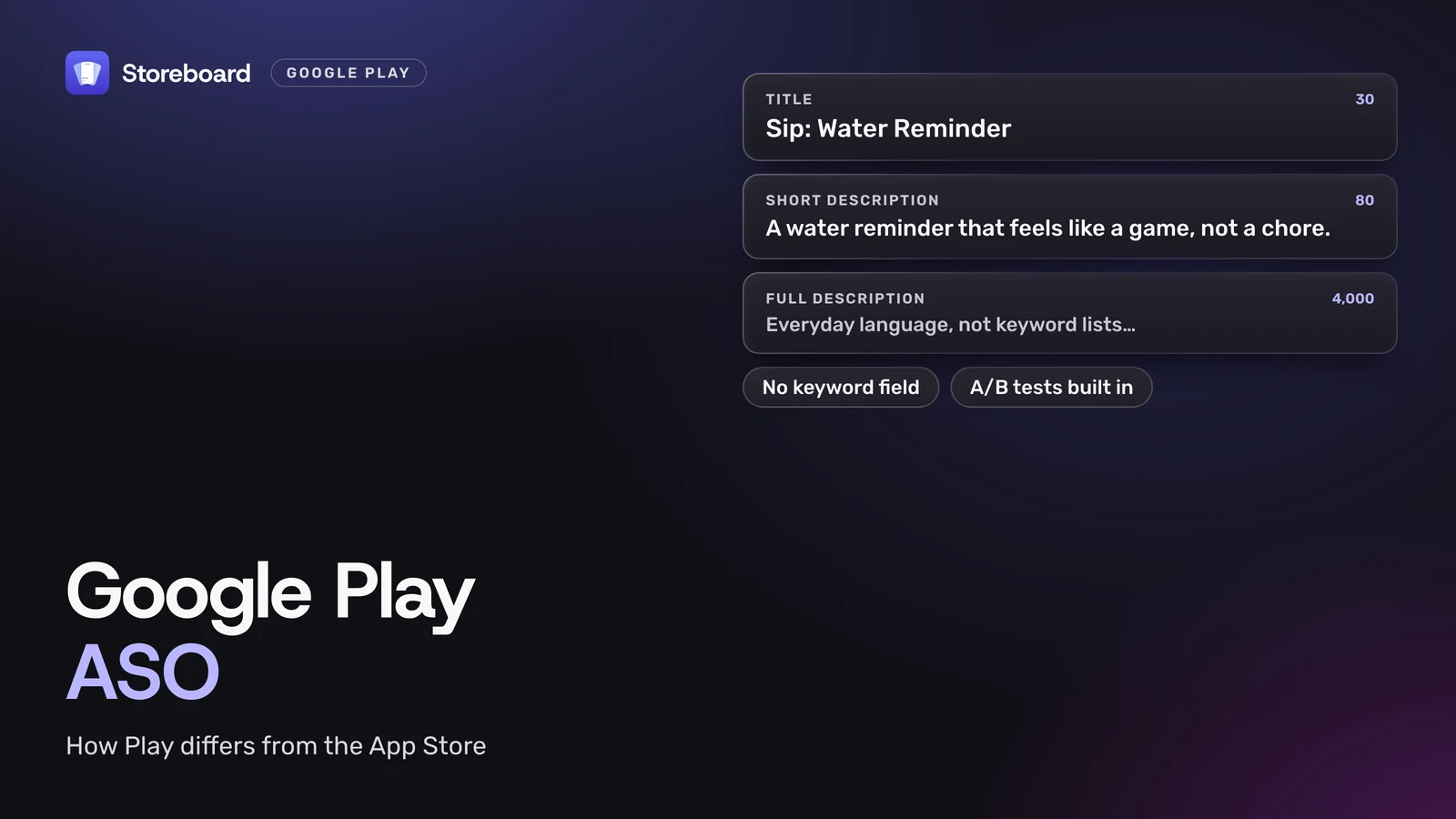
Google Play ASO is the work of getting your Android app found and installed on Google Play, and it isn't a copy of your App Store listing. Play has no keyword field: your 30-character title, 80-character short description and 4,000-character full description carry the words people search for. It also has built-in A/B tests, and it can show your app less if it crashes too often. Most of what I've written here is about the App Store, so this is the Play side for indie developers shipping on both: what's different, where the keywords go, what graphics Play wants, how to test without guessing, and what my own app does for Play today.
Every rule here comes from Google Play Console Help, Google Play policy and Android Developers documentation, read on 12 November 2026. Google doesn't publish a full list of Play ranking factors, so I only say what Google itself says.
On this page
How is Google Play ASO different from App Store ASO?
The goal is the same, but the fields, the testing tools and even the ranking signals are different. The biggest difference: the App Store has a hidden keyword field, and Google Play doesn't.
| App Store | Google Play | |
|---|---|---|
| Name | 30 characters | Title, 30 characters |
| Line under the name | Subtitle, 30 characters | Short description, 80 characters |
| Hidden keywords | Keyword field, 100 characters | None |
| Long description | 4,000 characters. Not on Apple's list of search factors | 4,000 characters, written for people, in everyday language |
| Change text without an update | Only promotional text | The whole listing, in Play Console |
| Banner graphic | None | 1024 × 500 feature graphic |
| Built-in A/B tests | Product page optimization | Store listing experiments |
| App quality and visibility | Not on Apple's list | Crash and ANR rates over Google's thresholds can reduce visibility |
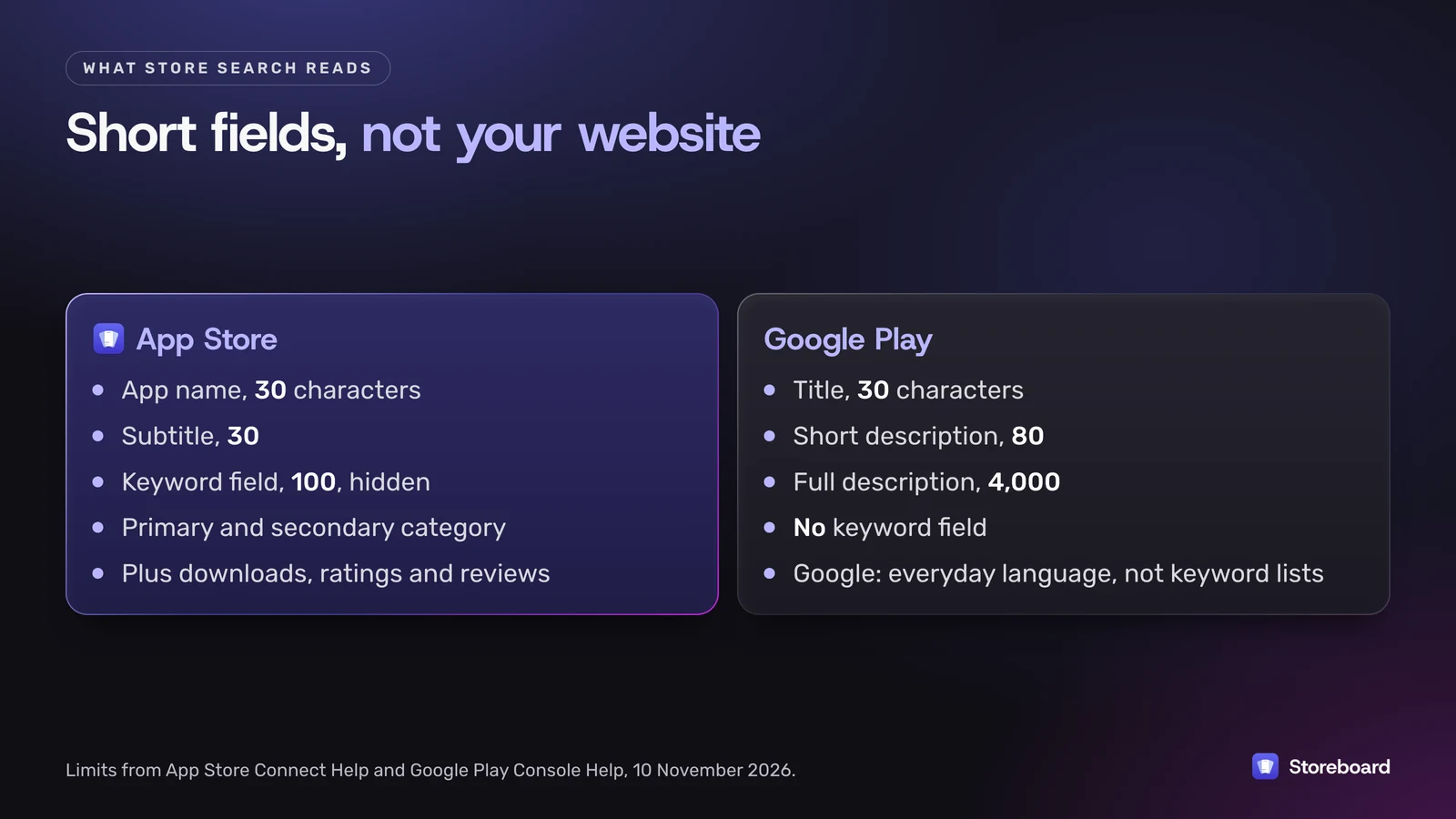
Two things follow from that table. You can't copy your App Store listing across and call it done, because your App Store keywords live in a field Play doesn't have. And Play rewards you for iterating, because you can change and test the listing whenever you like.
Where do keywords go if Play has no keyword field?
Into your title, short description and full description, written as normal sentences. Google's guidance is direct: describe your app "using everyday language, not a list of keywords", and its metadata policy bans "repetitive or unrelated keywords".
- Title (30 characters). Google says the title, icon and developer name are "particularly helpful for users to find and learn about your app". Your brand plus one clear term usually beats a list.
- Short description (80 characters). It "appears in places like search results", so treat it as your one-line pitch with your most important term in it.
- Full description (4,000 characters). Work your important terms in where they belong, naturally. Google warns that "users may only read the first few sentences", so lead with the point.
- What not to do. The policy also bans ranking claims like "#1" or "App of the year" in your title or icon, price and promotion text like "10% off", emoji and repeated special characters, ALL CAPS that isn't your brand, and unattributed testimonials in the description.
A useful habit if you ship on both stores: keep a list of the terms your App Store keyword field targets, and check each one appears somewhere sensible in your Play text. That's a different job from stuffing them in, and it's the one that actually helps.
What screenshot sizes and assets does Play expect?
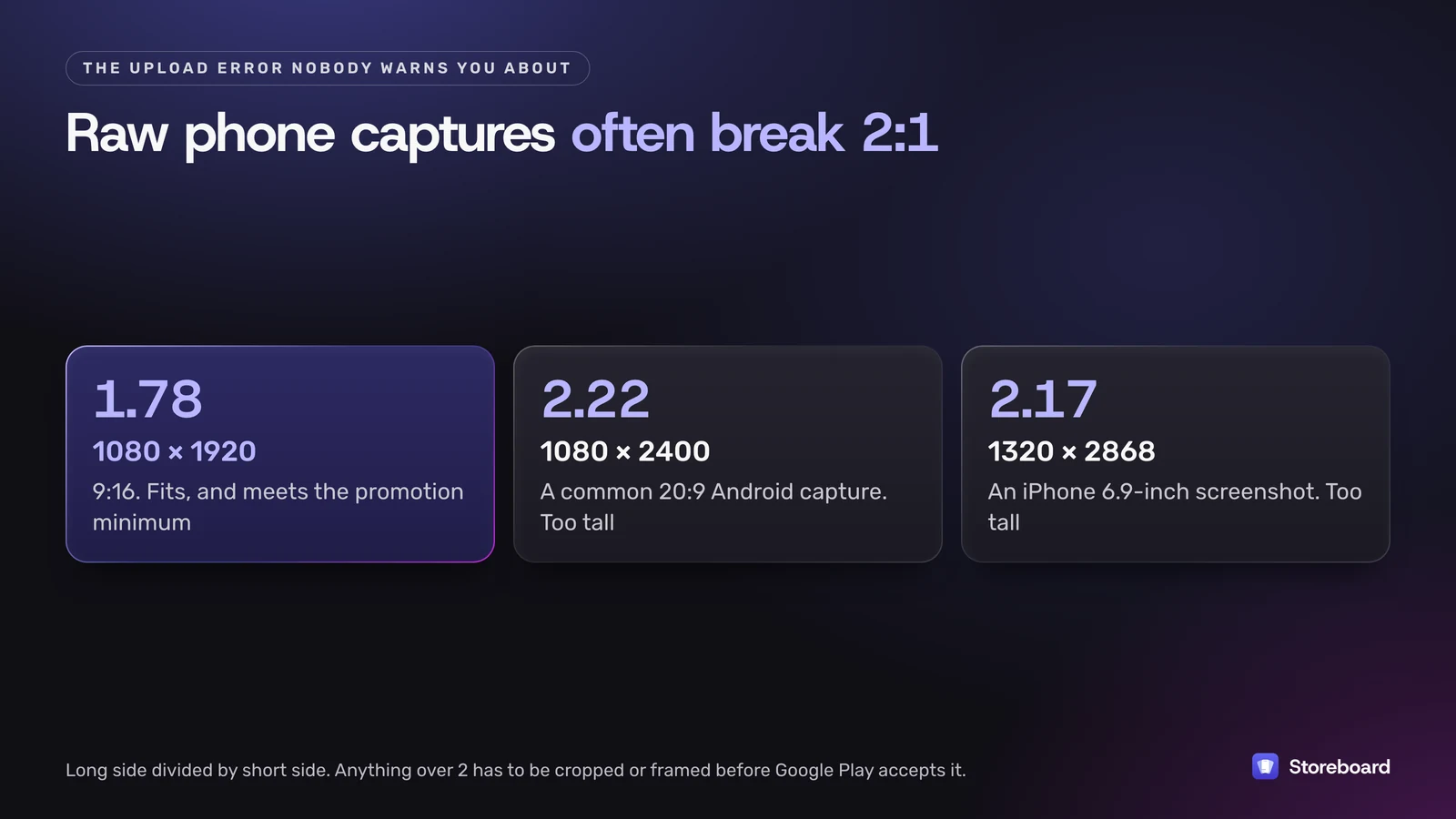
Screenshots between 320 and 3,840 pixels a side with a long side no more than twice the short one, a 1024 × 500 feature graphic and a 512 × 512 icon. The full detail is in my Google Play screenshot size guide and the icon size table, so here's only what matters for ASO.
- Four screenshots at 1080 pixels or more make an app eligible for Google's screenshot-based promotional formats. Fewer, and you're out of those spots.
- Your iPhone set won't upload as is. iPhone screenshots are taller than Google's 2:1 limit, so they need a 9:16 canvas first.
- Captions count, with limits. Google asks for taglines to take up no more than 20% of the image, with no calls to action like "download now" and no ranking or price claims. Translate any text.
- The feature graphic is extra real estate. Keep text away from the edges and leave out words like "Best", "#1" and "Free".
How do you test a Play listing without guessing?
With store listing experiments, which are built into Play Console at no extra cost. For a small team they're one of the biggest advantages Play has: you can test a new icon or screenshot set on real visitors before committing to it.
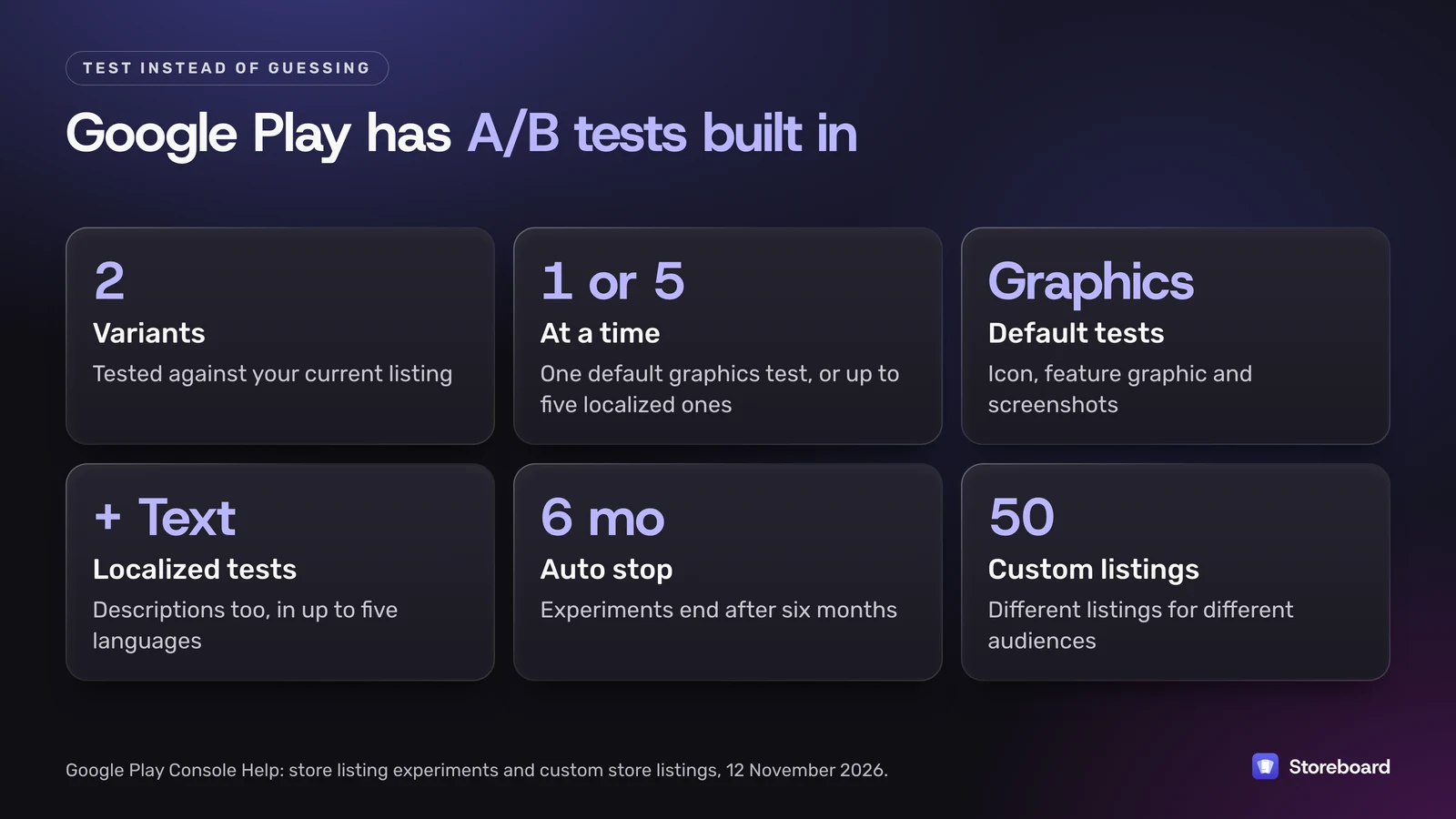
- What you can test. Default graphics experiments test your icon, feature graphic and screenshots. Localized experiments can also test your descriptions, in up to five languages.
- How many. Up to two variants against your current listing, and one default graphics experiment or up to five localized ones at a time.
- What's measured. You pick a target such as unique users who tap install. Experiments stop on their own after six months.
- Custom store listings are the other tool: up to 50 versions of your listing aimed at specific countries, search keywords, ad traffic or lapsed users.
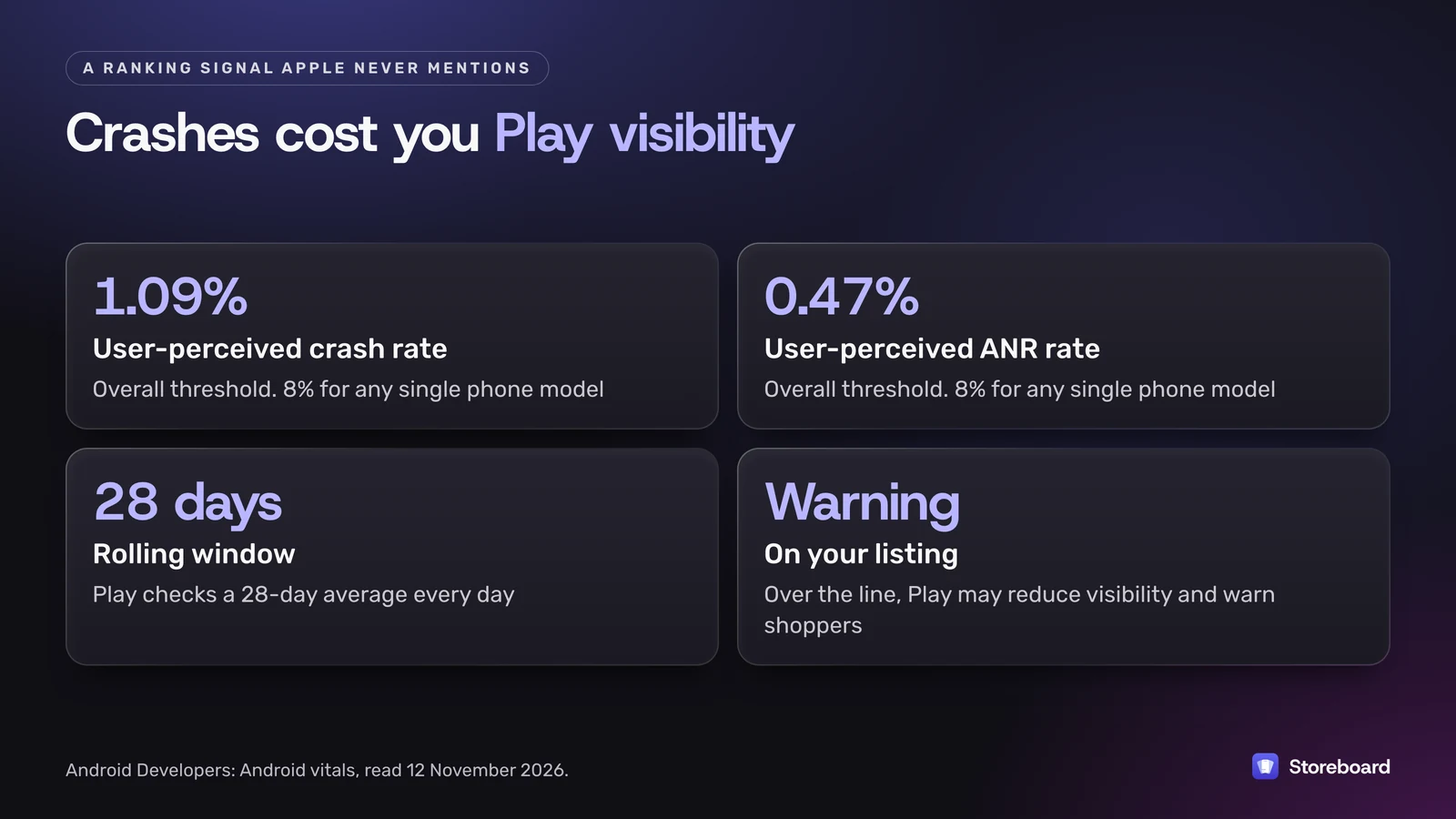
One more Play-only factor before you test anything: app quality. Google says core Android vitals "affect your app's visibility on Google Play". If your user-perceived crash rate goes over 1.09% overall (or 8% on any single phone model), or your ANR rate over 0.47% (or 8% on one model), "Play may reduce the visibility of your title" and may show users a warning on your listing. Play judges this on a rolling 28-day average. No listing test will beat a crash fix.
Five mistakes when porting an App Store listing to Play
- Pasting the keyword field into the description. A comma list of terms is exactly the "word blocks" Google's metadata policy calls out.
- Leaving the short description as an afterthought. It shows in search results, so it's closer to your App Store subtitle than to your description.
- Reusing iPhone screenshots. They fail the 2:1 rule, and an iPhone frame on an Android listing looks out of place anyway.
- Copying ranking or price claims. "#1", "Best" and "10% off" are banned in Play's title and graphics, just as price words cause trouble on the App Store.
- Translating the App Store text word for word. Play's fields are different lengths, so a translated 30-character subtitle doesn't make an 80-character short description.
A Play listing checklist
- Title under 30 characters: your name plus one clear term, no emoji, no "#1".
- Short description under 80 characters that says what the app does, with your most important term.
- Full description that leads with the point and works your terms in as sentences.
- At least four phone screenshots at 1080 × 1920 or 1920 × 1080, JPEG or 24-bit PNG.
- A 1024 × 500 feature graphic with no small text near the edges.
- A 512 × 512 icon as a full square, without rounded corners or a shadow.
- Alt text on every image, under 140 characters.
- Crash and ANR rates checked in Android vitals before you push for visibility.
- One store listing experiment running on your icon or first screenshot.
What can Storeboard do for a Play listing today?
It makes the Play listing from the App Store work you've already done, and exports it for Play Console. It doesn't publish to Google Play directly.
Storeboard: ASO Assistant is my Mac app for App Store listings, and Google Play is part of Storeboard Pro. Turn it on and you get:
- An Android phone set that starts from your iPhone screenshots, exported at 9:16 in 1080 × 1920, 1440 × 2560 or 2160 × 3840.
- The 1024 × 500 feature graphic, designed in the same project.
- Your Play title, short description and full description, kept within 30, 80 and 4,000 characters, translated into every language you localize, and exported as text files per language.
To be clear about the limits: it doesn't make tablet, Chromebook, Wear OS or TV screenshots, it doesn't run Play experiments, and you upload the export in Play Console yourself. For the free side of keyword research, the keyword check on this site works on the App Store, and Play Console's own acquisition reports show how people find your Play listing.
Make the Play listing from your App Store one
Storeboard: ASO Assistant (Pro) adds an Android phone set that starts from your iPhone screenshots, the 1024 × 500 feature graphic and your Play title, short and full description in every language, exported ready for Play Console. Free to start on the Mac App Store, Pro is a one-time US$49.99.
Questions
Can I copy my App Store description onto Google Play?
You can start from it, but don't stop there. Google Play has no keyword field, so the terms in your App Store keyword field need to appear naturally in your Play title and descriptions, and Play's 80-character short description has no App Store equivalent.
Does Google Play have a keyword field?
No. Your title (30 characters), short description (80) and full description (4,000) carry your keywords. Google asks for everyday language, and its metadata policy bans repetitive or unrelated keywords.
Does Storeboard publish directly to Google Play?
No. Storeboard: ASO Assistant exports your Android screenshots, feature graphic and Play listing text ready to upload in Play Console yourself. It publishes directly only to App Store Connect.
Are Storeboard's Play tools part of Free or Pro?
Pro. Storeboard Pro, a one-time US$49.99 purchase, includes Google Play: Android screenshots, the feature graphic and the Play listing.
Do crashes affect Google Play rankings?
Google says core Android vitals affect your app's visibility on Google Play. Above a 1.09% user-perceived crash rate or a 0.47% ANR rate overall, Play may reduce your visibility and show a warning on your listing.
Sources
Pages read on 12 November 2026 (Melbourne time).
- Google Play Console Help: Best practices for your store listing
- Google Play policy: Metadata
- Google Play Console Help: Add preview assets
- Google Play Console Help: Store listing experiments
- Google Play Console Help: Custom store listings
- Android Developers: Android vitals
- Apple: App Store search