 Storeboard
/Blog/ASO vs SEO
ASO vs SEO: what's different when your product is an app
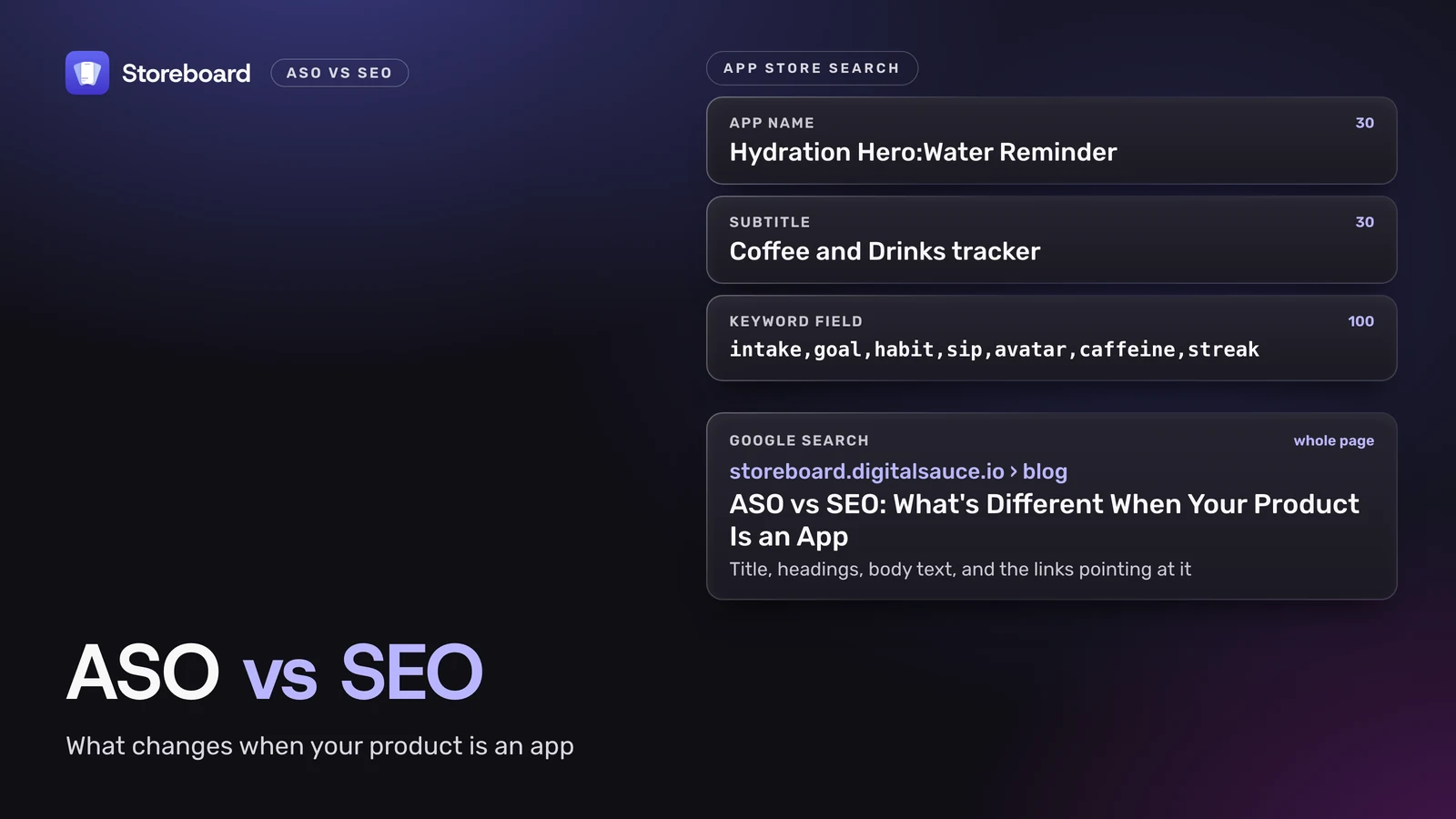
ASO (app store optimization) gets your app found inside the App Store and Google Play. SEO (search engine optimization) gets web pages found in Google, Bing and the AI assistants that read them. ASO vs SEO isn't a contest: they share a way of thinking, but not an index. App Store search reads your app name, subtitle, 100-character keyword field and category, plus how people react to your app. It doesn't read your website. If your product is an app, do ASO first, then build a small site that does the jobs the store can't. I make apps and a Mac ASO tool, and I've had to learn both sides by getting them wrong. Here's the honest split: what's different, where they overlap, what actually ranks an app, how a website helps, and the order I'd do them in.
Every rule here comes from the platforms' own pages, opened on 10 November 2026: Apple's App Store search page, App Store Connect Help, Google Play Console Help and Google Search Central. Where something isn't documented, I say so.
On this page
What's the difference between ASO and SEO?
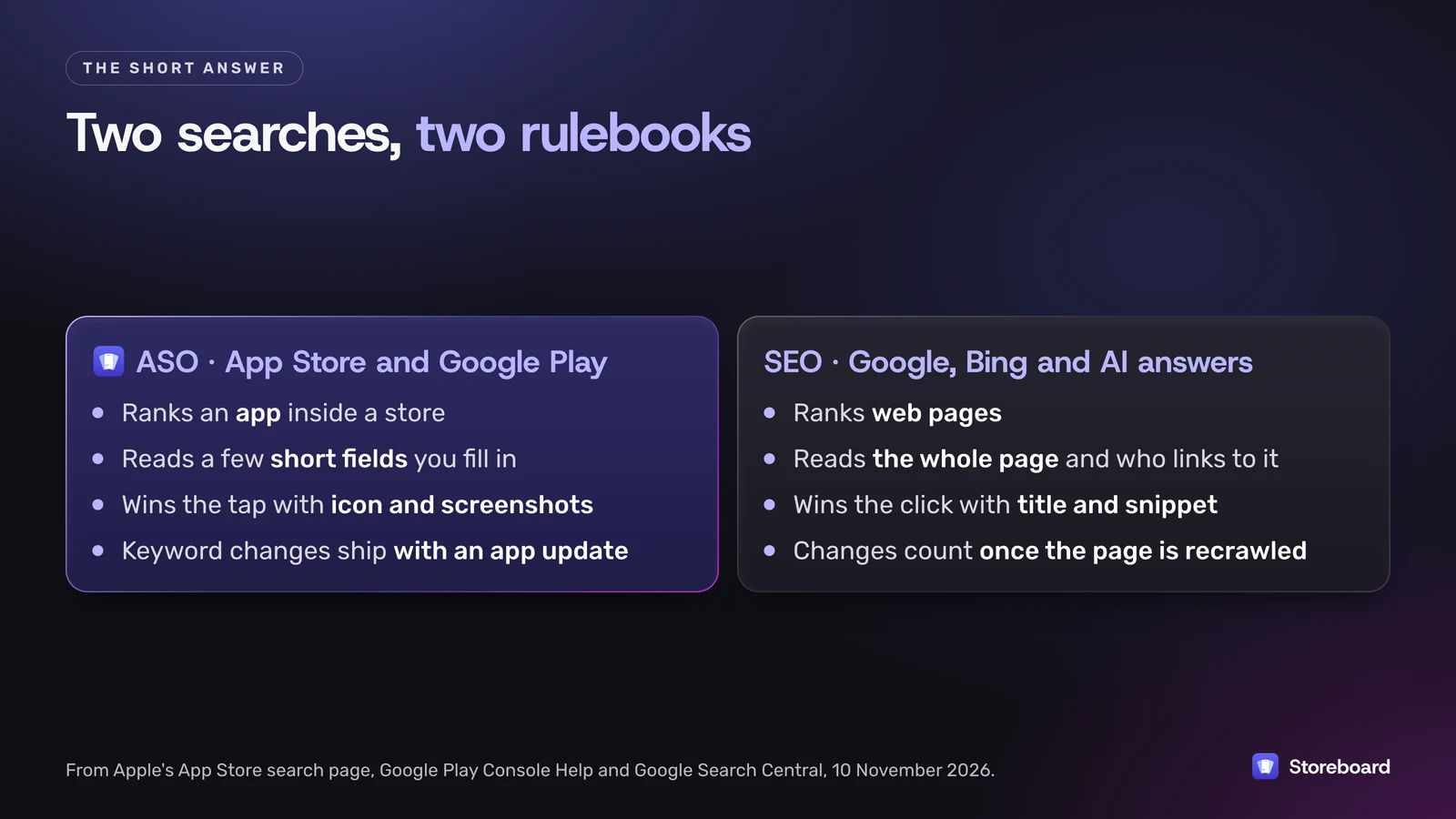
ASO is about one search box inside a store. SEO is about the open web. The skills sound alike, but what you can change, what gets measured and how long it takes are all different.
| ASO | SEO | |
|---|---|---|
| Where it works | App Store and Google Play search | Google, Bing, and AI assistants that search the web |
| What gets ranked | Your app | Your web pages |
| Text you control | App Store: name (30 characters), subtitle (30), keyword field (100), category. Google Play: title (30), short description (80), full description (4,000) | Every word on the page, plus the title tag and headings |
| Other signals | Downloads, ratings and reviews, which Apple names | Links from other sites, and how useful and trustworthy the page is |
| What wins the tap | Icon, screenshots and rating | Title and snippet in the results |
| How fast changes land | App Store keyword changes go out with an app update | When the search engine recrawls the page |
The one that surprises people: on the App Store, your description isn't a ranking field. Apple's own list of what search matches is "your app's title, subtitle, keywords, and primary category". I wrote up the detail in how Apple indexes App Store keywords. Google Play is the opposite. It has no keyword field at all, so the words people search for have to live in your title and descriptions.
Where do ASO and SEO overlap?
Quite a lot, as long as you remember they're different indexes.
- Both start with what people type. Keyword research is the same skill with different data. People tend to ask Google questions, like how much water to drink on a hot day, and type short terms into a store, like water tracker. A phrase that's busy on Google can be close to dead on the App Store, and the other way round, so check each one where it'll be used.
- Both are won or lost on the result. On Google, your title and snippet earn the click. In a store, your icon, first screenshots and rating earn the tap. Ranking without the click doesn't help either way.
- Both reward localization. Each App Store localization brings its own name, subtitle and keyword field for the storefronts that use that language (more on that here). On the web, a translated page can rank in that language.
- Both punish stuffing. Apple says improper keyword use is a common reason for rejections. Google asks for "everyday language, not a list of keywords" on Play, and lists keyword stuffing in its spam policies for web search.
What actually ranks an app?
Apple is unusually direct about this. Its App Store search page says: "Search results are based on a number of factors, including text relevance (matches for your app's title, subtitle, keywords, and primary category), as well as user behavior (downloads, ratings and reviews, and more)."
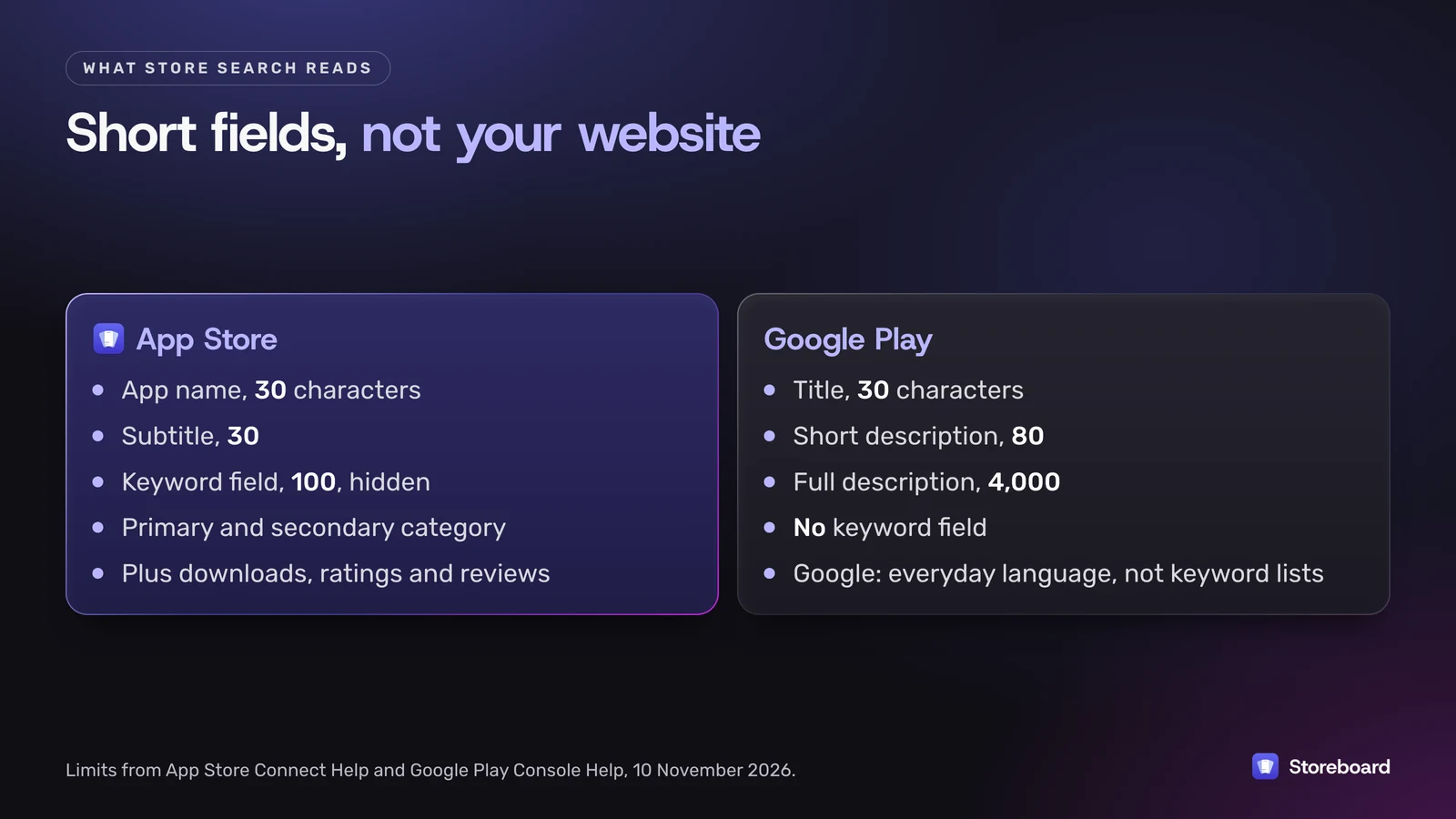
On the App Store, that comes down to:
- App name, up to 30 characters, and subtitle, up to 30.
- The keyword field: 100 characters of comma-separated terms nobody sees. Apple asks for commas with no spaces, and says not to repeat words already in your name, subtitle or category.
- Category: "Your primary category and optional secondary category are indexed."
- How people respond: downloads, and ratings and reviews, which Apple says "can influence how your app ranks".
Promotional text, the 170-character line at the top of your description, is the one field you can change without a new submission. Apple says it "doesn't affect your app's search ranking", so don't put keywords there.
On Google Play, the title is 30 characters, the short description 80 and the full description 4,000. Google says the short description "appears in places like search results", and asks you to describe your app "using everyday language, not a list of keywords".
What's on neither list is anything outside the store: your website, links to it, your social posts. I'd love to tell you a blog post nudges your App Store rank. Apple has never said so, and its list of ranking factors doesn't include anything off the store. What a website can do is send people to your App Store page, and those downloads count like any other.
How does a website help an app?
Not by moving your store ranking, but by doing the jobs the store can't.
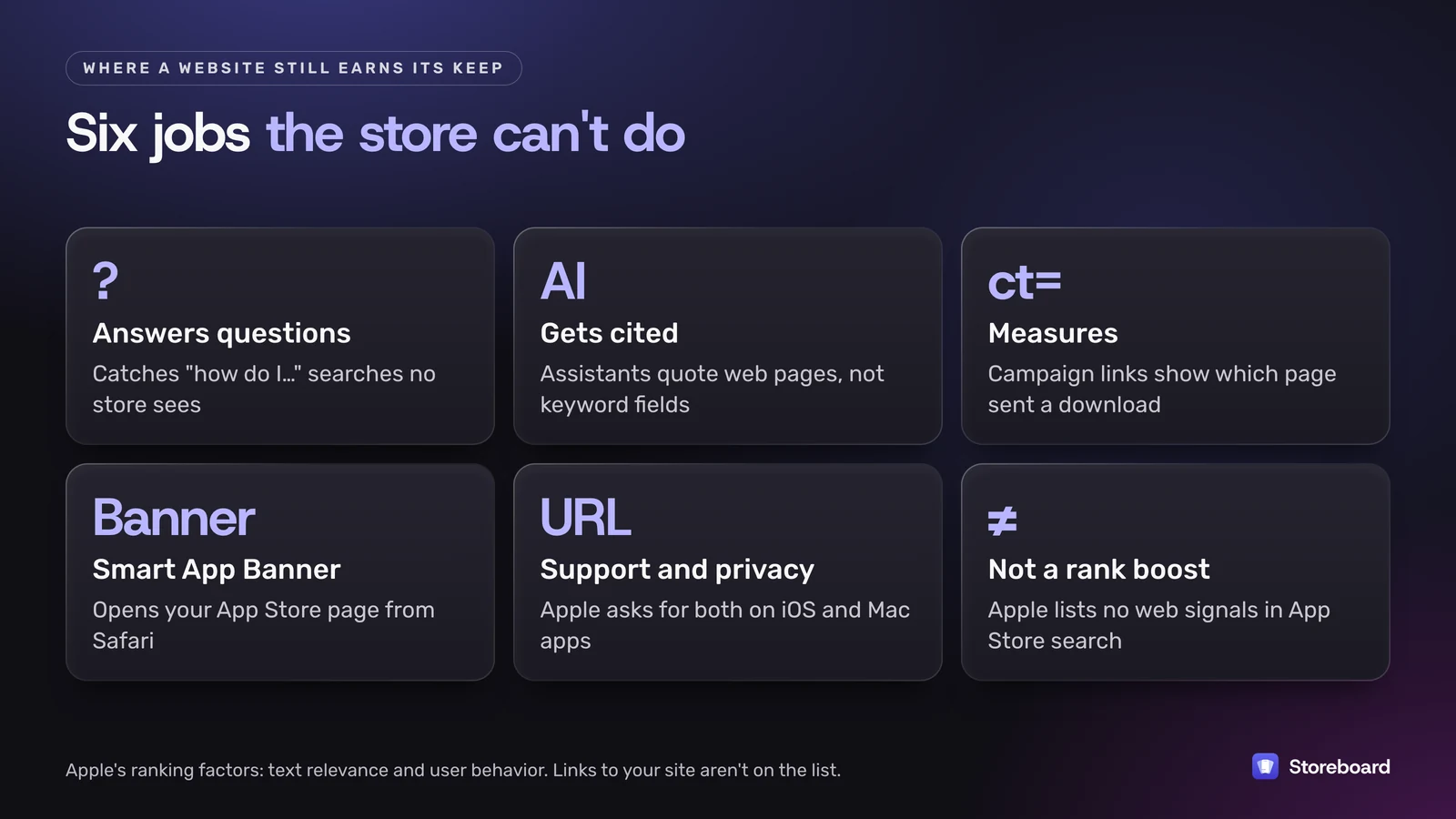
- It answers questions the store never hears. People search for their problem, not your app. A page that answers it can send them to your App Store page. I do this for my own apps: a free water intake calculator on digitalsauce.io for Hydration Hero, and the free ASO review, keyword check and rank checker on this site for Storeboard.
- It's what AI assistants can read. ChatGPT, Gemini, Claude, Copilot and Perplexity answer from web pages. None of them can see your keyword field. If you want an assistant to recommend your app, there has to be a page that says plainly what it does and who it's for.
- It shows you what works. App Store links with Apple's campaign parameters (
ptandct) show up in App Analytics, so you can see which page sent each download. Apple explains them under manage campaigns. - It hands iPhone visitors straight to the store. One meta tag adds a Smart App Banner in Safari that opens your App Store page.
- Apple wants the URLs anyway. A support URL is required for every app, and a privacy policy URL is required for iOS and Mac apps. You're making a page either way, so make it useful.
ASO or SEO: which should you do first?
For an app, the store comes first, because that's where the download button is.
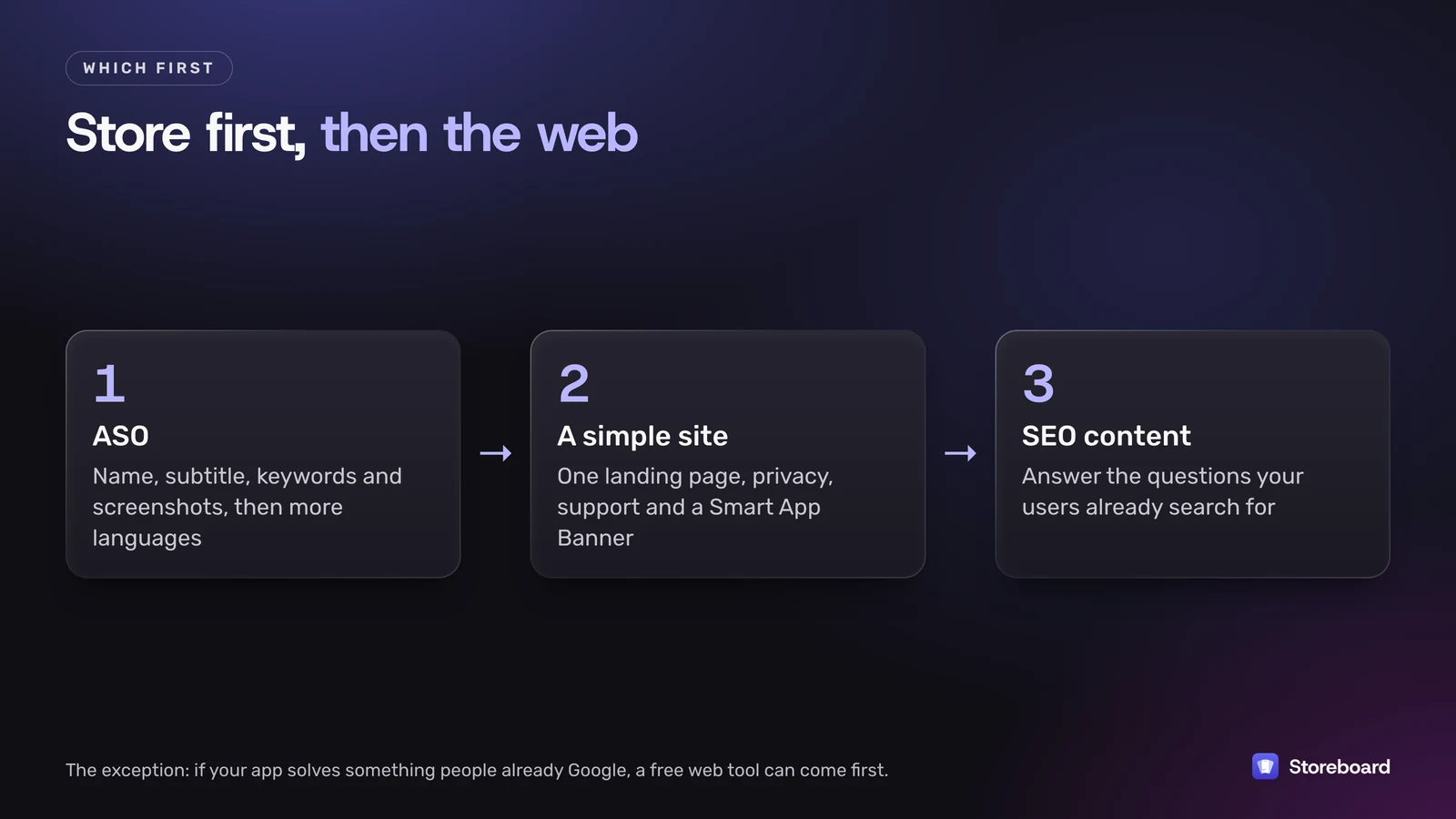
- ASO, before launch and right after. Name, subtitle, keyword field and screenshots. It's the cheapest work closest to a download. Then add languages where you sell, since each one brings more keyword space and a page people can read.
- A simple site. One landing page with your App Store link and a Smart App Banner, a privacy policy and a support page. It's a day's work, not a project.
- SEO content, once you know what users ask. Write the pages only you can write because you built the thing: how it works, how it compares, the problem it solves. Those are the pages assistants quote, too.
The exception: if your app solves something people already search Google for, like a calculator, a converter or a checklist, a free web version can come first. It's SEO and a demo in one. That's the bet I made with the free tools on this site.
For the store side, I use my own Mac app, Storeboard: ASO Assistant. It does keyword research per storefront, screenshot design, translation of the listing into every App Store language and publishing to App Store Connect. The free tools on this site are its SEO side. If you'd rather keep everything in a browser for now, the free ASO tools roundup covers the options honestly.
Do the store side properly, then let the site help
Run your live listing through the free ASO review to see which storefronts get your own name, description and screenshots. Then research keywords per storefront, design your screenshots and publish to App Store Connect with Storeboard: ASO Assistant, free on the Mac App Store.
Questions
Is ASO the same as SEO?
No. ASO ranks apps inside the App Store and Google Play. SEO ranks web pages in search engines such as Google and Bing. They share keyword research and clear writing, but the fields you fill in, the signals that count and the tools you use are different.
Does SEO help App Store ranking?
Not directly, as far as anyone can show. Apple says App Store search uses text relevance from your app's title, subtitle, keywords and primary category, plus user behavior such as downloads, ratings and reviews. A website can still send people to your App Store page, and those downloads count.
Does Google Play have a keyword field?
No. A Google Play listing has a title of up to 30 characters, a short description of up to 80 and a full description of up to 4,000. Google asks you to write them in everyday language rather than as a list of keywords.
Is the App Store description used for search?
Not according to Apple, which lists text relevance as matches for your app's title, subtitle, keywords and primary category. Write the description for people. On Google Play, there's no keyword field, so the descriptions matter more.
How long do ASO changes take compared with SEO?
On the App Store, keyword changes go out with an app update, so you see the effect after review and release. Promotional text changes any time but doesn't affect search. SEO changes count once a search engine recrawls the page, which can take days or weeks.
Sources
Pages read on 10 November 2026 (Melbourne time).
- Apple: App Store search
- App Store Connect Help: Platform version information
- App Store Connect Help: App information
- App Store Connect Help: Manage campaigns
- Apple: Promoting apps with Smart App Banners
- Google Play Console Help: Best practices for your store listing
- Google Search Central: SEO starter guide
- Google Search Central: Spam policies