 Storeboard
/Blog/App Store promotional text
App Store promotional text: how to use the 170 characters you can change anytime
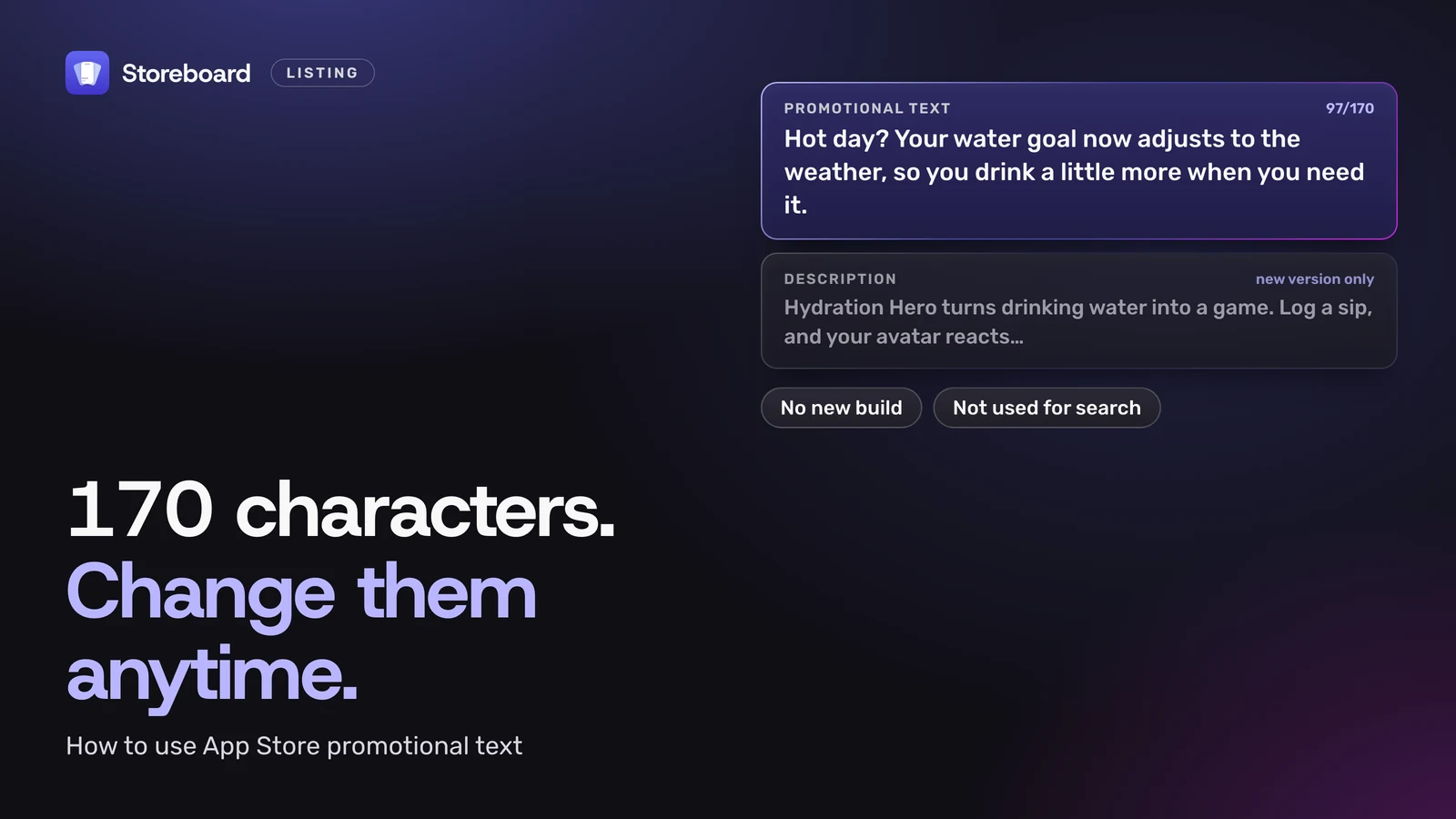
App Store promotional text is the line of up to 170 characters that appears at the top of your product page, above the description. It's the only text on the page you can change at any time without submitting a new version of your app. Apple says it doesn't affect search ranking, so use it for news, not keywords. That makes it the most flexible line you have, and most apps leave it blank or never touch it again. Here's what Apple says about it, how it fits with the other fields, six patterns worth writing, and how to change it.
Every rule here comes from Apple's Creating your product page, App Store search and App Store Connect Help, read on 12 November 2026. Where Apple doesn't say something, I say so.
On this page
What is App Store promotional text?
It's a short block of text at the top of your description on the App Store. Apple's own description: it "appears at the top of the description and is up to 170 characters long. You can update promotional text at any time without having to submit a new version of your app."
Everything else people read on your product page is locked to a version. To change your subtitle, keywords or description, you submit an update and wait for review. Promotional text is the exception, which is why Apple pitches it for things that change: "the latest news about your app, such as limited-time sales or upcoming features."
How long can promotional text be?
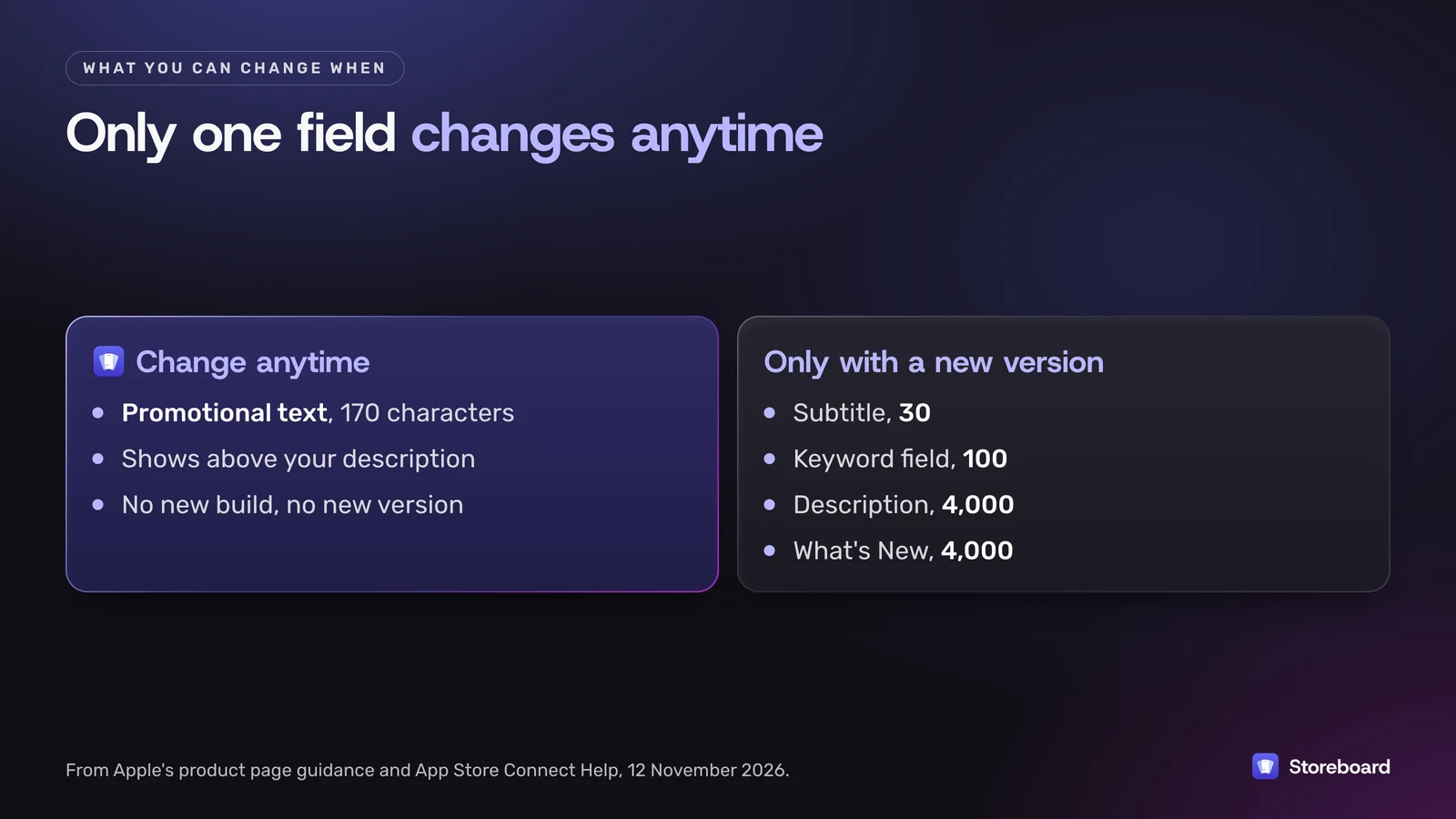
170 characters. App Store Connect won't take more. Here's how it sits next to the other text fields on your page:
| Field | Limit | When you can change it | Used for search? |
|---|---|---|---|
| App name | 30 | With a new version | Yes |
| Subtitle | 30 | With a new version | Yes |
| Keyword field | 100 | With a new version | Yes, and never shown |
| Promotional text | 170 | Any time | No |
| Description | 4,000 | With a new version | Not on Apple's list |
| What's New | 4,000 | With a new version (not on a first release) | No |
App Store Connect also says promotional text shows "above your description on the App Store for customers with devices running iOS 11 or later", which by now is everyone.
Does promotional text help App Store search?
No. Apple says it plainly on both its search page and its product page guide: "promotional text doesn't affect your app's search ranking so it should not be used to display keywords."
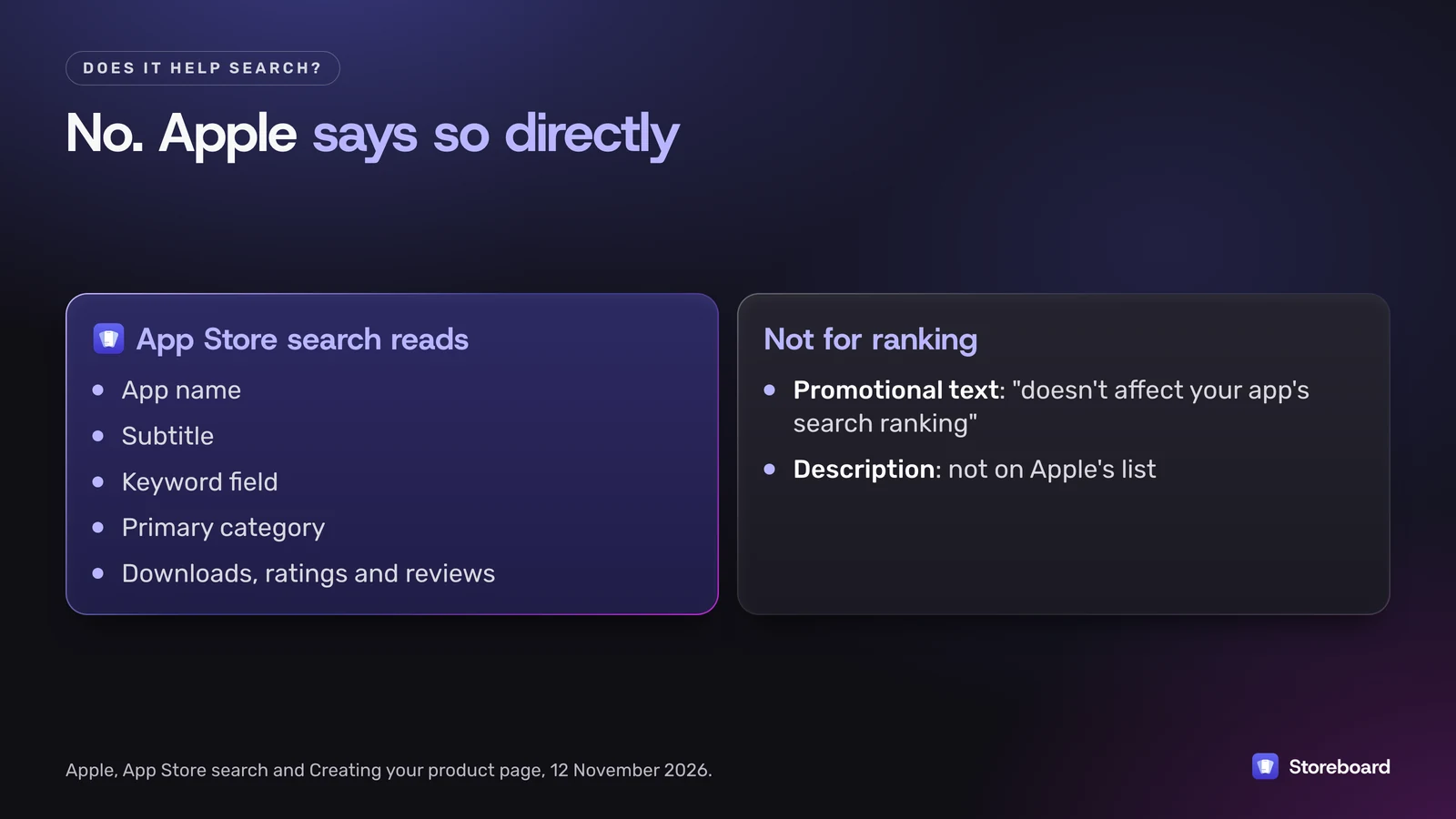
What App Store search does read is your app name, subtitle, keyword field and primary category, plus downloads, ratings and reviews (I go through it in how Apple indexes App Store keywords). So stuffing promotional text with keywords costs you the one line people actually read, for nothing.
It can still help indirectly. It's often the first line under your screenshots, so a clear line can lift the share of visitors who download, and downloads do count.
What should you put in promotional text?
Something true right now that makes a visitor more likely to tap Get. If nothing's new, a sharper version of your pitch.
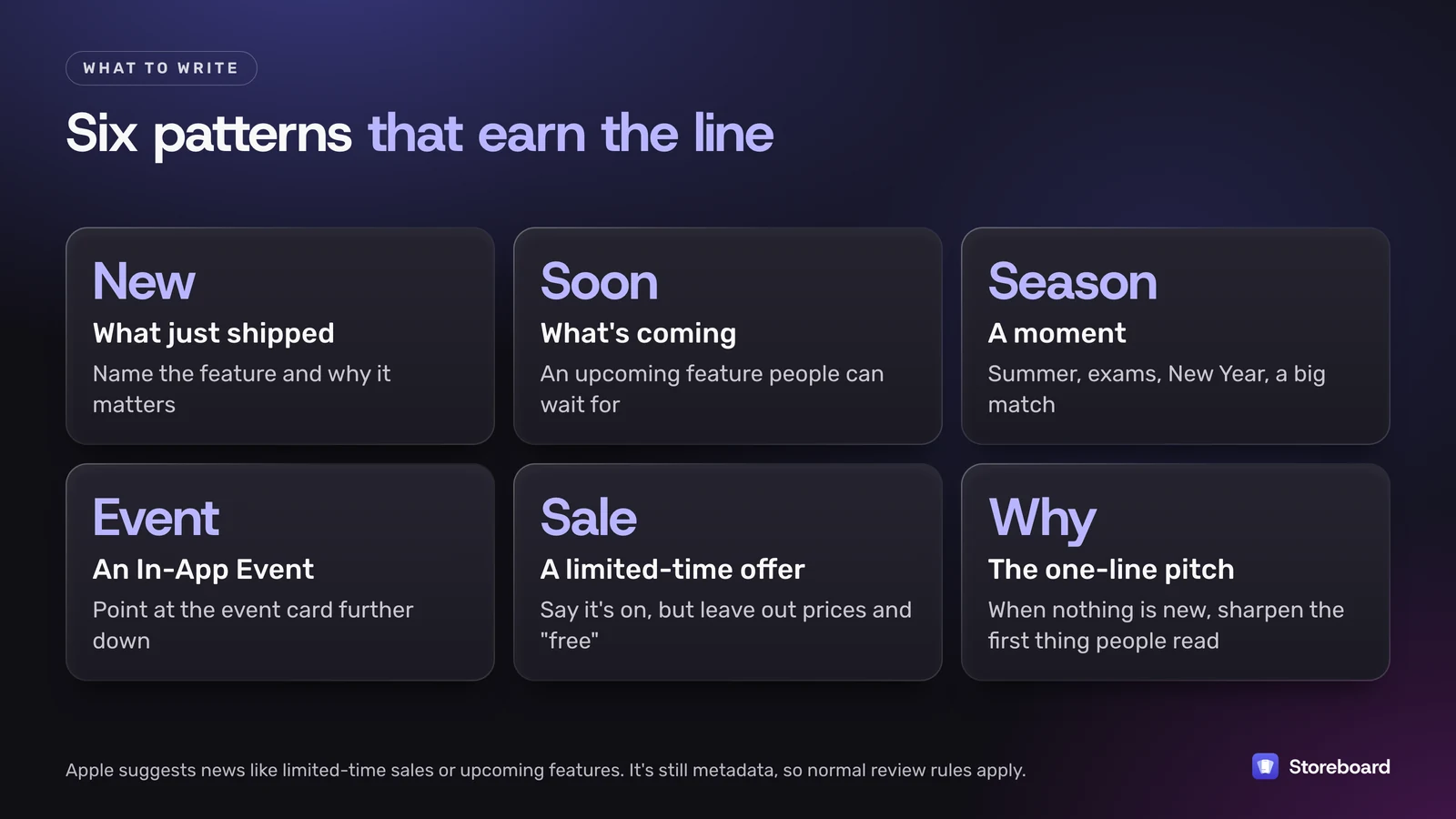
Six patterns that work. The example lines are for a made-up water reminder app, so swap in your own news:
- What just shipped. "Hot day? Your water goal now adjusts to the weather, so you drink a little more when you need it." Name the feature and the benefit, not the version number.
- What's coming. "Lock Screen widgets arrive in the next update, so you can log a glass without opening the app." Only promise what's actually close.
- A moment. "Summer's here. Set a hot-weather goal and let your avatar keep you on track." Seasons, exams, New Year and big matches all work.
- An In-App Event. "Join this week's 7-day water challenge with your friends. Details in the event card below." It pairs well with an In-App Event, which shows in search and on your page.
- A limited-time offer. Apple suggests sales, but say what's on and for how long, and leave out prices and the word "free". Guideline 2.3.7 asks you not to pack metadata with pricing information, and Apple's product page guide says to avoid specific prices in your description, so I keep prices out of every field.
- The pitch, sharpened. When nothing is new, write the clearest single sentence about who the app is for and what it does better.
Avoid ranking claims you can't back up, other apps' names, and other platforms. Promotional text is still App Store metadata, so the App Review Guidelines apply to it. Apple rejected one of my own Storeboard updates for naming another platform in its listing, so I don't take chances with any field.
Three rewrites, before and after
| Before | After | Why |
|---|---|---|
| water tracker, drink reminder, hydration app, habit, health | Hot day? Your water goal now adjusts to the weather, so you drink a little more when you need it. | Keywords here do nothing for search. A real update gives people a reason to tap Get. |
| Version 3.2: bug fixes and performance improvements. | New: log a glass from your Lock Screen without opening the app. | Bug fixes belong in What's New. Lead with what people will notice. |
| The #1 best water app! Download free today! | Small sips, every day. A water reminder that feels like a game, not a chore. | Unbacked ranking claims and price words invite a rejection, and they read like an ad. |
Promotional text, What's New or an In-App Event?
All three can carry news, so pick by how long the news lasts and who it's for.
- What's New is the release notes for one version, up to 4,000 characters, shown in the version history. It's the place for a full list of changes, including fixes. It can only change with a new version.
- Promotional text is the headline for anyone landing on your page today. It changes any time, so it suits news that outlives one release or doesn't need one: a season, a sale, a feature that's been out for a month but is still your best reason to download.
- An In-App Event is for something with a start and end date that happens inside the app, like a challenge or a live session. It gets its own card on your page and can appear in search, which promotional text can't.
They work best together. If you run an event, let the event card do the explaining and the promotional text point to it in one line.
How often should you change it?
Whenever something on the list above changes, and not just for the sake of it. A line about a summer feature still showing in winter looks abandoned. A good rhythm for a small app is to update it with each release, for each season or big moment that suits your app, and when an event starts or ends. Note the date you changed it, so you can compare your product page conversion rate in App Analytics before and after.
How do you update it in App Store Connect?
Open your app in App Store Connect, choose the App Store version on the left, and edit the Promotional Text field for each language, then save. You don't need to submit anything for the change.
- It's per language. Promotional text belongs to each localization of your version, next to its description and keywords. A language you haven't filled in doesn't fall back to a translation: translate it, or it stays empty there.
- Through the API it's the
promotionalTextattribute on App Store version localizations, so tools can update it for every language at once. - Set a reminder. The flexibility only helps if you use it. Change it when a release ships, a season turns or an event starts, and otherwise leave your sharpest pitch in place.
This is a job my own Mac app does. Storeboard: ASO Assistant keeps promotional text with the rest of the listing, translates it into every App Store language with the AI you choose, checks it for words App Review rejects, and its publish sheet can send just your promotional text and What's New to App Store Connect.
Write it once, in every language
Storeboard: ASO Assistant has a promotional text field with the 170-character limit built in, alongside your name, subtitle, keywords and description. Its AI translates it into every App Store language, it flags words App Review rejects, and you can publish just your promotional text and What's New to App Store Connect. Free to start on the Mac App Store.
Questions
Can I change promotional text without an app update?
Yes. Apple says you can update promotional text at any time without submitting a new version of your app. It is the only text on your product page that works this way.
Is promotional text indexed for keywords?
No. Apple says promotional text doesn't affect your app's search ranking and shouldn't be used for keywords. Put search terms in your app name, subtitle and keyword field instead.
How many characters can promotional text be?
170 characters. The subtitle is 30, the keyword field 100, and the description and What's New 4,000 each.
Does promotional text need to be localized?
Yes, if you want it in other languages. It's stored per localization in App Store Connect, alongside the description and keywords, so each language you list needs its own version.
Can Storeboard write promotional text?
Yes. Storeboard: ASO Assistant has a promotional text field with the 170-character limit, writes and translates it into every App Store language with on-device Apple Intelligence or your own AI key, flags words App Review rejects, and can publish it to App Store Connect.
Sources
Pages read on 12 November 2026 (Melbourne time).
- Apple: Creating your product page
- Apple: App Store search
- App Store Connect Help: Platform version information
- App Store Connect API: App Store version localizations
- App Review Guidelines