 Storeboard
Storeboard/Blog/More downloads without ads
10 ways to get more app downloads without paid ads
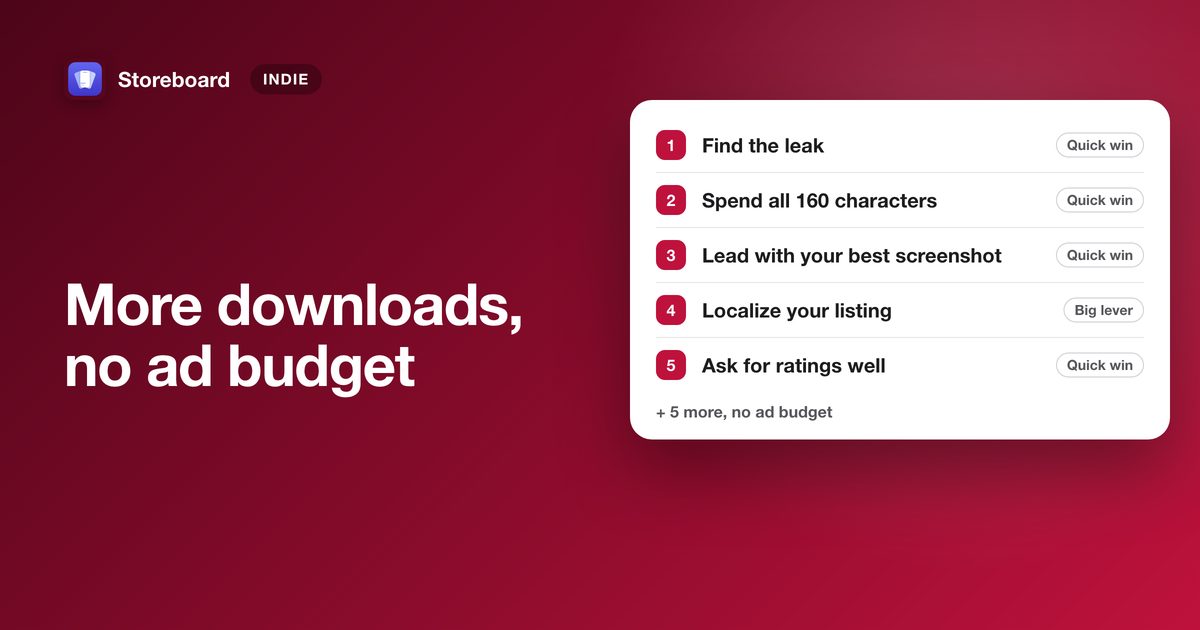
The free ways that work, in order: find which step of your funnel leaks, use all 160 characters Apple indexes, lead with your best screenshot, localize your listing, ask for ratings at a moment of success, reply to reviews, run In-App Events, nominate for featuring, answer questions where people ask them, and measure every change. Most take an afternoon. None needs an ad budget.
Paid ads rarely make sense for a small app: the cost per install is often higher than what a user is worth to you. The good news is that the App Store gives you a lot for free, and most indie apps use very little of it. This is the list we'd work through for our own apps, ranked by how much it moves downloads for the effort.
1. Find which step is leaking
Before changing anything, open App Analytics and look at three numbers: impressions (people saw you), product page views (they tapped) and downloads. Few impressions means a search problem; impressions without taps means your icon, name or first screenshot; taps without downloads means the rest of the page. Fixing the wrong step is the most common way to waste a month. How to read the three numbers.
2. Spend all 160 characters Apple indexes
Your app name (30 characters), subtitle (30) and keyword field (100) are what Apple's search reads. Each word counts once across all three, so repeating "sleep" in the keyword field when it's already in your name wastes characters. Use commas without spaces, skip plurals of words you already have, and leave out your category name and the word "app" (Apple's own advice). The free keyword field checker shows what you're wasting. How Apple indexes your keywords.
3. Lead with your best screenshot
Search results show your first screenshots, and most people decide from those alone. Put your single strongest benefit first, in a few big words someone can read at thumbnail size, and save the feature tour for later images. Seven screenshot mistakes that cost installs.
4. Localize your listing
Every App Store localization is another name, subtitle and keyword field, indexed for that country's searches. Translating the text gets you found; translating the first screenshots gets you chosen. In our study of 155 top apps, 36% showed English screenshots in every non-English country, and 51% of apps ranked 91 to 100 did, so localizing is still a way to stand out. The 10 countries where top apps localize most, and why English isn't one market.
5. Ask for ratings at a moment of success
Ratings show in search results and on your page, and a new app has none. Use Apple's rating prompt right after someone succeeds at something: finished a streak, exported their work, logged a first week. The system shows it at most three times a year per person, so don't spend it on launch or after an error (Apple's guidance). Never gate features behind a rating; App Review rejects that.
6. Reply to reviews
You can reply to any review in App Store Connect, the reviewer is notified, and they can update their rating. Replies are public, so a helpful answer to a complaint persuades the next reader too. Ten minutes a week is enough for most small apps.
7. Nominate for featuring
Apple's editors feature small apps, but they need a reason and a date. Nominate your launch or next significant update in App Store Connect at least two weeks ahead (three is better). It's free and it's the only way most indie apps ever get considered. How to get featured as an indie.
8. Run In-App Events
Event cards appear in search results, on your product page and in Apple's recommendations, and most small apps never make one. A challenge, a major update or new content all qualify, and events are reviewed without a new app version. In-App Events for small apps. While you're in App Store Connect, nine more free features are worth a look.
9. Answer questions where people ask them
Downloads from outside the App Store compound: a helpful Reddit answer, a short demo video on YouTube, a page on your own site that answers the exact question your app solves. AI assistants now answer "what's the best app for…" from pages like these, so being cited somewhere honest matters more every month. Be useful first and mention your app where it genuinely fits. Tag every link with a campaign token so App Analytics shows which ones bring downloads. The zero-budget marketing stack.
10. Measure every change
Change one thing at a time, note the date, and compare 14 days before and after it goes live. If you have the traffic, run it as a product page test instead, which gives you a real answer. Without measuring, you can't tell the five changes that helped from the five that hurt. How to tell if your ASO is actually working.
What doesn't work
- Keyword stuffing in your name. It reads as spam to shoppers and to App Review (Guideline 4.3 is the usual result).
- Keywords in the description. Apple doesn't index your description for search on the App Store the way it indexes the name, subtitle and keyword field.
- Buying reviews or installs. Against Apple's rules, and the fastest way to lose your developer account.
Work through the list on your Mac
Storeboard checks your keyword fields, designs and translates your screenshots, writes In-App Events, and shows the before/after for every change. Free to download. (We make Storeboard.)
Get Storeboard for MacFAQ
How can I get more app downloads for free?
Find which step of your App Store funnel loses people, use all 160 characters Apple indexes (name, subtitle, keyword field), lead with your strongest screenshot, localize your listing, ask for ratings after a moment of success, and use free App Store Connect features like In-App Events and featuring nominations.
Are paid ads worth it for a small app?
Often not at first. If a download costs more than a user is worth to you, ads lose money. Fix your free search and conversion first; ads work better on a listing that already converts.
How long does ASO take to work?
Changes to your name, subtitle and keywords take effect when the new version goes live, and rankings settle over the following days to weeks. Compare 14 days before and after a change, and change one thing at a time.
Does Apple index the App Store description for search?
Apple's search reads your app name, subtitle and keyword field. Write the description for people deciding whether to download, not for search.