 Storeboard
Storeboard/Blog/App Store Connect features
10 App Store Connect features most indie developers never use
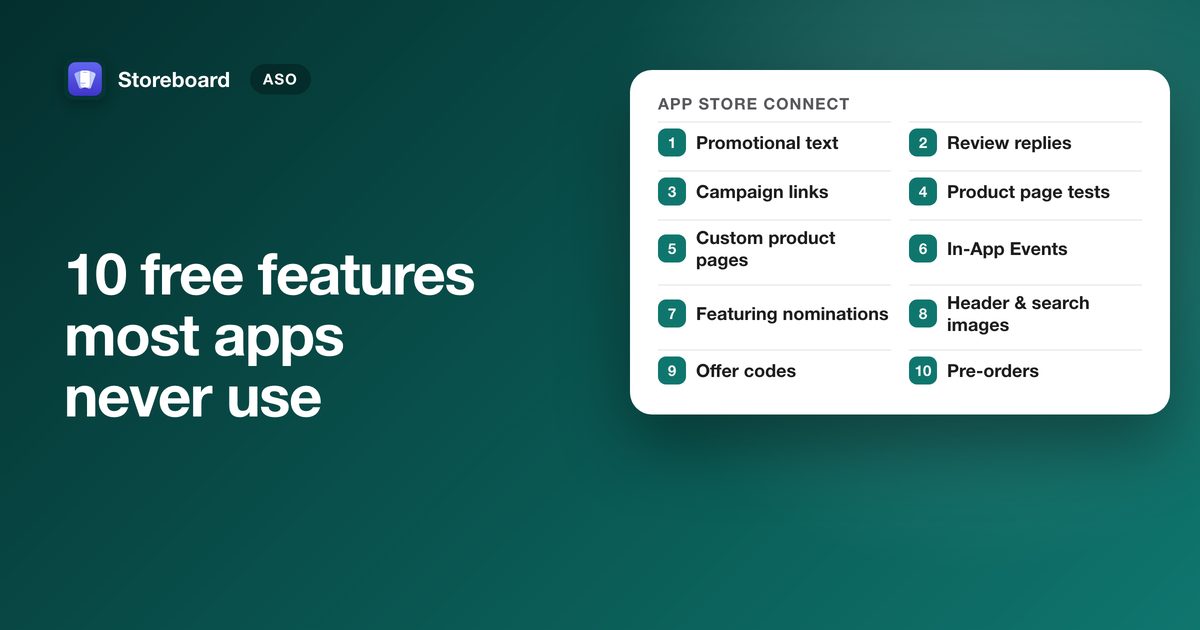
App Store Connect has free features that bring in downloads and that most small apps leave switched off: promotional text, product page A/B tests, custom product pages (now in search results), In-App Events, featuring nominations, campaign links, review replies, pre-orders, offer codes, and the new iOS 27 header and search images. None of them costs money, and most need no new app version.
Most of us ship a build, fill in the required fields and never open the other tabs. Here are ten features worth opening them for, roughly ordered from "do it this afternoon" to "plan it". Every limit below is from Apple's own documentation, linked in each section.
| Feature | Effort | New app version? | Best for |
|---|---|---|---|
| 1. Promotional text | Minutes | No | Every app |
| 2. Review replies | Minutes a week | No | Every app |
| 3. Campaign links | Minutes | No | Anyone sharing links |
| 4. Product page optimization | An afternoon | No (unless testing icons) | Apps with steady traffic |
| 5. Custom product pages | An afternoon each | No | Several audiences or features |
| 6. In-App Events | An afternoon | No | iPhone and iPad apps with something dated |
| 7. Featuring nominations | An hour | No | Launches and big updates |
| 8. Header and search images | A design session | No | iPhone and iPad apps on iOS 27 |
| 9. Offer codes | An hour | No | Apps with in-app purchases |
| 10. Pre-orders | Planning | Before launch | New apps and new regions |
1. Promotional text
A 170-character line at the top of your description that you can change at any time, with no new version and no review wait. Use it for news: a new feature, a seasonal angle, a sale. One catch from Apple's product page guide: promotional text doesn't affect search ranking, so don't stuff keywords into it. Write it for the person who's already looking at your page.
2. Replying to reviews
You can reply to any review, however old, from App Store Connect, and the reviewer is notified and can update their review. You can edit a reply at any time (only the latest shows). A calm, useful reply to a one-star review about a bug you've since fixed is visible to everyone deciding whether to download. Apple's ratings and reviews page covers the rules, including the in-app rating prompt, which the system shows at most three times in a 365-day period.
3. Campaign links
Add pt= (your provider token), ct= (a campaign name you choose) and mt=
(8 for iPhone, 12 for Mac) to your App Store link, and App Analytics shows downloads by campaign. A first-time download
within 24 hours of the click is credited to it. Use one link per place you share it (your website, a Reddit post, a
newsletter) and you finally know which one works. Numbers appear once a metric reaches 5 in the date range, per
Apple's campaign
links help.
4. Product page optimization (A/B tests)
Test up to three alternate versions of your icon, screenshots or app previews against your current page. You choose what share of visitors sees a test, it runs for up to 90 days, and App Analytics reports each version's conversion rate and confidence. Apple suggests waiting for at least 90% confidence before applying a winner. Tests without alternate icons don't need a new app version (Apple's guide).
The honest caveat for small apps: a test needs traffic to reach a verdict. If you get a few dozen page views a day, test one big change (a new first screenshot) rather than small tweaks.
5. Custom product pages
Up to 70 extra versions of your product page, each with its own screenshots, app previews and promotional text, and its own URL. The change most people missed: you can now assign keywords so a custom page shows in search results for those searches instead of your default page. A habit tracker can show a "water" page to people searching for water reminders and a "reading" page to people searching for reading goals. Pages need review, but not a new app version (Apple's guide).
6. In-App Events
Event cards for anything time-bound in your app (a challenge, a major update, new content) that appear in search results, on your product page and in Apple's recommendations, on iPhone and iPad. They're reviewed on their own, without an app update. Most small apps never make one, which is exactly why they're worth it. Limits, ideas beyond games, and a step-by-step.
7. Featuring nominations
A form in App Store Connect that puts your launch, update or event in front of Apple's editors. Apple asks for at least two weeks' notice, recommends three, and suggests up to three months ahead for wider consideration. Nothing is guaranteed, but nominating is the only way most indie apps ever get considered. How to write a nomination that has a chance.
- Up to 180 daysPre-orders open. A brand-new app can take pre-orders 2 to 180 days before release.
- Up to 3 monthsFeaturing nomination, widest consideration. Apple suggests up to three months ahead.
- 3 weeksFeaturing nomination, recommended. Two weeks is Apple's minimum.
- 14 daysIn-App Event promotion can start. The card can show up to 14 days before the event.
- ReleaseLaunch, update or event goes live. An event can then run for up to 31 days.
8. Header and search results images (iOS 27)
New with iOS 27 and iPadOS 27: a wide header image above your icon on the product page, and a search results image people see in the Search tab ahead of your screenshots. They're optional, which means most of your category won't have them for a while. Apple's sizes and rules, and how one universal image crops into both.
9. Offer codes
Codes for free or discounted access that you hand out yourself: to newsletter readers, beta testers, a podcast audience, or someone who emailed support. They now cover every kind of in-app purchase, not just subscriptions, with up to 1 million codes per app per quarter (Apple's help). If you sell subscriptions, look at win-back offers too: discounts for people whose subscription lapsed, which can be promoted on your product page from iOS 18.
10. Pre-orders
List a new app before it's finished. A brand-new app can take pre-orders 2 to 180 days before release, and the app downloads automatically to everyone who ordered it on release day. Pre-orders show up in search results, so launch day starts with a queue instead of from zero (Apple's pre-order page). Adding a new region to an existing app works the same way, up to 365 days ahead.
Where to start
If you do only three this week: write promotional text, reply to your last ten reviews, and put campaign links on everywhere you share your app. They take an hour together and tell you more about your listing than any tool. Then pick the one big one that fits your app: a test if you have traffic, an event if you have something dated, a custom page if you serve more than one kind of user.
Do the listing work in one place
Storeboard writes your promotional text and In-App Events, translates them into every language, and sends your listing to App Store Connect from your Mac. Free to download. (We make Storeboard.)
Get Storeboard for MacFAQ
Does promotional text help App Store search ranking?
No. Apple says promotional text doesn't affect search ranking. It's for the person already on your page: news, a new feature or a limited-time offer, up to 170 characters, changeable at any time without a new version.
Can custom product pages appear in App Store search?
Yes. You can assign keywords to a custom product page so it appears in search results for those keywords instead of your default page. Each keyword combination can belong to only one page, and you can publish up to 70 custom pages.
How long does an App Store product page test run?
Up to 90 days, or until you stop it. A test can compare up to three alternate versions of your icon, screenshots or app previews with your original, and only one test can run at a time.
How many times can an app ask for a rating?
The system shows Apple's rating prompt at most three times in a 365-day period per person, however often your app asks. Ask after a moment of success, not at launch.
How far ahead can a new app take pre-orders?
A brand-new app can be on pre-order 2 to 180 days before its release date. Existing apps adding a new region can go up to 365 days ahead.