 Storeboard
Storeboard/Blog/Indie iOS tool stack
The indie iOS developer tool stack: the best tool for each job (2026)
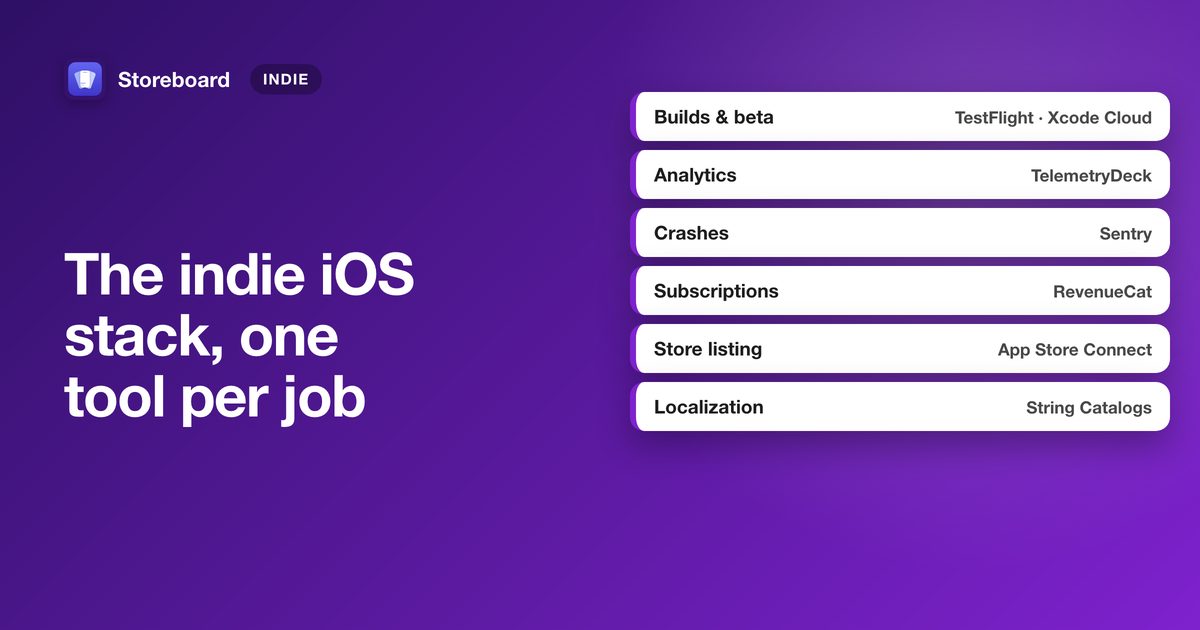
A solo developer can ship an iOS app on free tiers: TestFlight and Xcode Cloud (25 compute hours a month with the Apple Developer Program) for builds, TelemetryDeck or Aptabase for privacy-friendly analytics, Sentry or Crashlytics for crashes, RevenueCat for subscriptions, String Catalogs for app strings, and App Store Connect's own analytics for the store. Pay for a tool when it saves you real hours, not before.
Every "best tools" list is written for a different person. This one is for a single developer shipping an iPhone or Mac app: tools with a usable free tier, good Apple-platform support, and as little lock-in as possible. For each job there's a pick and the alternatives worth knowing. We checked every free tier on the vendor's own site in October 2026; plans change, so follow the links before you commit. We make Storeboard, which appears once, in the job it does.
- Builds and betaTestFlight · Xcode Cloud
- AnalyticsTelemetryDeck
- CrashesXcode Organizer · Sentry
- SubscriptionsRevenueCat
- Store listingApp Store Connect · Storeboard
- DebuggingRocketSim · Proxyman
- FeedbackWishKit
- App localizationString Catalogs
1. Builds and beta testing: TestFlight and Xcode Cloud
TestFlight comes with the Apple Developer Program: up to 100 internal and 10,000 external testers. Xcode Cloud includes 25 compute hours a month with your membership, enough for a solo app to build and upload on every push to main.
Alternatives: fastlane (open source) if you want builds, signing and uploads scripted on your own Mac or any CI; Bitrise, which has a free Hobby plan for one person.
2. Analytics: TelemetryDeck
TelemetryDeck is built for Apple developers and privacy-first: it anonymises data on the device and doesn't use cookies, which keeps your privacy label simple. There's a free tier for small apps.
Alternatives: Aptabase (open source, free up to 20,000 events a month, can be self-hosted); PostHog if you also want session replay and feature flags; Firebase Analytics, which is free but sends data to Google. And don't forget App Store Connect's own App Analytics for the store side: impressions, page views, downloads and sources.
3. Crash reporting: Xcode Organizer, then Sentry
Start with what you already have: Xcode's Organizer shows crash reports from users who share analytics with developers, symbolicated, at no cost. When you need more (non-fatal errors, breadcrumbs, alerts), Sentry has a free Developer plan for one user.
Alternatives: Firebase Crashlytics (free); BugSnag, which has a free plan for solo projects.
4. Subscriptions and paywalls: RevenueCat
If you sell subscriptions, RevenueCat handles receipts, entitlements, paywalls and revenue charts, and is free until your monthly tracked revenue passes $2,500, then a percentage. If you only sell one or two simple purchases, StoreKit 2 on its own may be all you need.
Alternatives: Superwall (paywall design and A/B tests, with a free Indie tier); Adapty and Qonversion, both free below a revenue threshold. Compare the thresholds on their pricing pages; they differ and they change.
5. The App Store listing: App Store Connect, plus Storeboard
App Store Connect is the source of truth, and most of what gets downloads is free inside it (ten features most indie developers never use). For the work around it, screenshots in every size and language, keyword research per country, and a translated listing, Storeboard does it on your Mac with nothing uploaded. That's us, so weigh it accordingly; the free ASO review and keyword check work in any browser without it.
Alternatives: Helm, a native App Store Connect client for Mac and iPhone (free download, Pro in-app purchase); AppMeta, which edits metadata locally and pushes it to App Store Connect. More options, by job, in the best Mac apps for ASO.
6. Simulator and network debugging: RocketSim and Proxyman
RocketSim adds recording, network inspection and other tools to the Simulator, with a free tier and no account. Proxyman is the HTTP debugging proxy most iOS developers end up buying; its free version is for evaluation, and the full licence is a one-time purchase with a year of updates.
7. Feedback and feature requests: WishKit
WishKit puts a feature-request board inside your app with a SwiftUI SDK, so users vote where they already are. The free plan covers one project with a small number of requests.
Alternatives: Featurebase and Canny, web feedback boards with free plans, better if your users live on a website rather than in the app.
8. Localizing the app itself: String Catalogs
Xcode's String Catalogs (.xcstrings) are built in: Xcode collects your strings as you build, tracks what's translated, and handles plurals. For one developer and a handful of languages, that's the whole tool.
Alternatives: Crowdin (free for open-source projects) and Lokalise (paid, with a free trial) once translators or a team are involved. Your store listing is a separate job: where top apps localize their screenshots.
The whole stack, at a glance
| Job | Pick | Free to start? | Alternatives |
|---|---|---|---|
| Builds and beta | TestFlight, Xcode Cloud | Included with the Apple Developer Program | fastlane, Bitrise |
| Analytics | TelemetryDeck | Yes, free tier | Aptabase, PostHog, Firebase |
| Crashes | Xcode Organizer, Sentry | Yes | Crashlytics, BugSnag |
| Subscriptions | RevenueCat | Yes, to $2,500 monthly revenue | Superwall, Adapty, Qonversion |
| Store listing | App Store Connect, Storeboard | Yes | Helm, AppMeta |
| Debugging | RocketSim, Proxyman | RocketSim yes; Proxyman trial | Xcode's network instruments |
| Feedback | WishKit | Yes, limited | Featurebase, Canny |
| App localization | String Catalogs | Built into Xcode | Crowdin, Lokalise |
Free tiers as shown on each vendor's site, October 2026.
What to skip at the start
- Paid keyword-tracking databases before you have a listing worth tracking. How much keyword data you actually need.
- Attribution SDKs before you run paid campaigns; App Store campaign links cover organic sources for free.
- A second analytics tool. One you actually read beats three you don't.
The store-listing part of the stack
Screenshots in every size and language, keyword research per country and a translated listing, on your Mac with nothing uploaded. Free to download. (We make Storeboard.)
Get Storeboard for MacFAQ
What tools do indie iOS developers use?
A common free-to-start stack: TestFlight and Xcode Cloud for builds and beta, TelemetryDeck or Aptabase for analytics, Xcode Organizer and Sentry or Crashlytics for crashes, RevenueCat for subscriptions, String Catalogs for localizing the app, and App Store Connect's App Analytics for the store.
Is Xcode Cloud free?
The Apple Developer Program includes 25 Xcode Cloud compute hours a month. More hours are available as a paid monthly add-on.
What's a privacy-friendly analytics tool for iOS apps?
TelemetryDeck anonymises data on the device and doesn't use cookies; Aptabase is open source and can be self-hosted. Both have free tiers.
Do I need RevenueCat for in-app purchases?
Not always. StoreKit 2 handles simple purchases well on its own. RevenueCat earns its keep with subscriptions: entitlements across devices, paywalls, and revenue analytics. It's free until $2,500 in monthly tracked revenue.