 Storeboard
Storeboard/Blog/No downloads
Why is my app getting no downloads?
An app with no downloads almost always has one of three leaks: people never see it, they see it but don't tap, or they tap but don't download. App Store Connect shows you which one in five minutes, and each leak has a different fix.
Most indie developers respond to zero downloads by changing everything at once: new icon, new screenshots, new keywords, maybe some ads. That's expensive, and it hides what was actually wrong. Diagnose first. The numbers you need are already in App Store Connect, free, with no SDK.
Step 1: open App Analytics and read three numbers
In App Store Connect, open your app's App Analytics and set the range to the last 30 days. You need three numbers:
- Impressions: how many times your app was seen in search results, Today, Games and Apps for more than a second.
- Product page views: how many of those turned into someone opening your page.
- Conversion rate: Apple defines it as total downloads divided by unique-device impressions (Apple's metric definitions). If 100 devices saw your app and 5 downloaded it, that's 5%.
Then open Sources. Apple splits traffic into App Store Search, App Store Browse, App Referrer and Web Referrer. For a new indie app, App Store Search is the one that matters. Browse traffic mostly comes from charts and featuring, which you can't control directly.
Step 2: find your leak
| What you see | What it means | Fix first |
|---|---|---|
| Impressions near zero | You don't rank for anything people search | Keywords: name, subtitle and the 100-character keyword field |
| Impressions, but few page views | People see you in search and scroll past | Icon, name, subtitle, first screenshots and rating count |
| Page views, but low conversion | Your product page doesn't convince | Screenshots, ratings, price and language |
| Healthy conversion, small numbers | The page works; there's just not enough traffic | More keywords and countries, events, featuring |
| Most downloads from Web Referrer | Your own posts and links carry the app; search doesn't | Same as the first row |
To know whether your conversion is actually low, compare it with Apple's peer group benchmarks in App Analytics. They show the 25th, 50th and 75th percentile conversion rate for apps like yours. Below the 25th percentile is a page problem. Around the median means look for more traffic instead.
Leak 1: nobody sees your app
Near-zero impressions means you're not ranking for searches people actually make. It's the most common leak for new apps, and usually comes down to these:
- A name that's only a brand. Apple searches your 30-character name, 30-character subtitle and keyword field, and the name and subtitle are the only two people also see. "Hydra" tells search nothing; "Hydra: Water Tracker" matches a phrase people type.
- A wasted keyword field. The hidden keyword field holds 100 characters. Repeating words already in your name, adding spaces after commas, or plurals of words you already have all waste it. The keyword field checker shows what's wasted.
- Keywords you can't win. A new app won't rank for "photo editor". It can rank in the top ten for "photo editor for receipts". Check each candidate's popularity and difficulty with the free keyword check (more in the best free ASO tools), and where you rank today with the rank checker.
- One country only. Each App Store country ranks separately, and English-speaking countries search differently. See English isn't one market.
Name, subtitle and keywords only change with a new app version, so batch your keyword changes into your next release and give them two to three weeks to settle (how to measure it).
Leak 2: people see you and scroll past
In search, people judge you on your icon, name, subtitle, rating count and the first screenshots in the result. If impressions are healthy but page views are low, that row loses to the apps around it.
- Make the first three screenshots readable at search-result size. One benefit per screen, in a few large words, not a UI tour. See seven screenshot mistakes that cost installs.
- On iOS 27, add a search results image. It replaces your screenshot strip in search, so it's now your biggest chance to stand out. Sizes and rules are in App Store header and search results images.
- Get your first ratings. "No ratings" next to an app in search looks unproven. See the section on ratings below.
Leak 3: people open your page and leave
Product page views with few downloads means the page doesn't answer "is this for me?" fast enough. Check these in order:
- Is the page in their language? If you've only written English, visitors in Germany, Japan or Brazil see English. The free ASO review shows which of 37 storefronts get your own localized name, description and screenshots, and which get the base listing.
- Do your screenshots show the result, not the menus? Lead with what someone gets, then how.
- Is the price a surprise? A paywall on first launch after a "free" listing gets one-star reviews that hurt conversion for months. Say "free trial" or "in-app purchases" honestly.
Getting your first ratings
Ratings show up in search and on your page, and a new app has none. Ask for them with Apple's review prompt, at a moment when someone has just succeeded at something: logged their first week, finished an export, hit a goal. Apple shows the prompt at most three times a year per person, so don't spend it on first launch. Never pay for reviews or offer rewards for them: Apple's App Review Guidelines prohibit manipulating ratings, and apps get removed for it.
When the page works but traffic is small
If conversion is around your peer median and downloads are still small, you've hit a traffic ceiling. Ways to raise it that don't need an ad budget:
- Localize into more countries. Each storefront is a separate set of searches with separate competition. In our study of 155 top apps, 51% of apps ranked 91 to 100 showed English screenshots in every non-English country. Which languages pay back.
- Run In-App Events. They can appear in search results and on your product page as their own cards.
- Nominate your app for featuring in App Store Connect when you have a real launch or update to talk about.
- Talk to people where they already are. See the zero-budget indie marketing stack.
Watch: the full walkthrough
A 17-minute walkthrough of doing ASO for an indie app, from keywords to a localized listing.
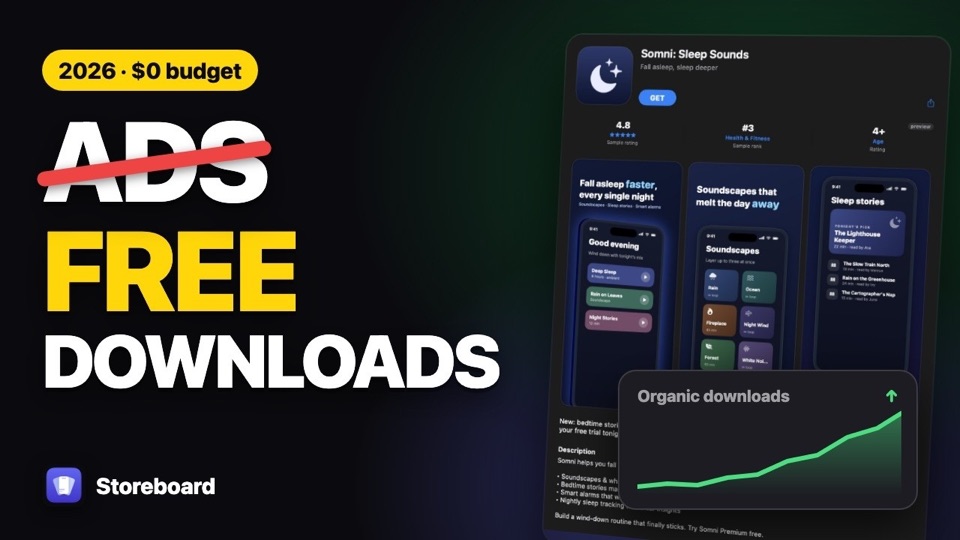
Find your leak for free
Check any App Store listing across 37 storefronts in your browser, no signup. When you're ready to fix it, Storeboard does keywords, screenshots and every language from your Mac.
Run the free ASO review Get Storeboard for MacFAQ
How many downloads should a new app get?
Apple doesn't publish typical download numbers, and they vary enormously by category. A more useful question is whether your conversion rate is normal: App Analytics' peer group benchmarks show the 25th, 50th and 75th percentile for apps like yours.
How long do ASO changes take to show?
Name, subtitle and keyword changes go live with a new app version. After release, give search positions two to three weeks to settle before judging a change, and change one thing at a time so you know what worked.
Should I pay for downloads or reviews?
No. Apple's App Review Guidelines prohibit manipulating ratings and charts, and apps are removed for it. Ask real users with Apple's review prompt at a success moment instead.
Do I need Apple Ads to get downloads?
No. Ads buy impressions, but they don't fix a page that doesn't convert. Fix leaks two and three first; then a small ads test tells you whether paid traffic is worth it for your app.