 Storeboard
/Blog/Google Play screenshot size
Google Play screenshot size: every requirement in one table
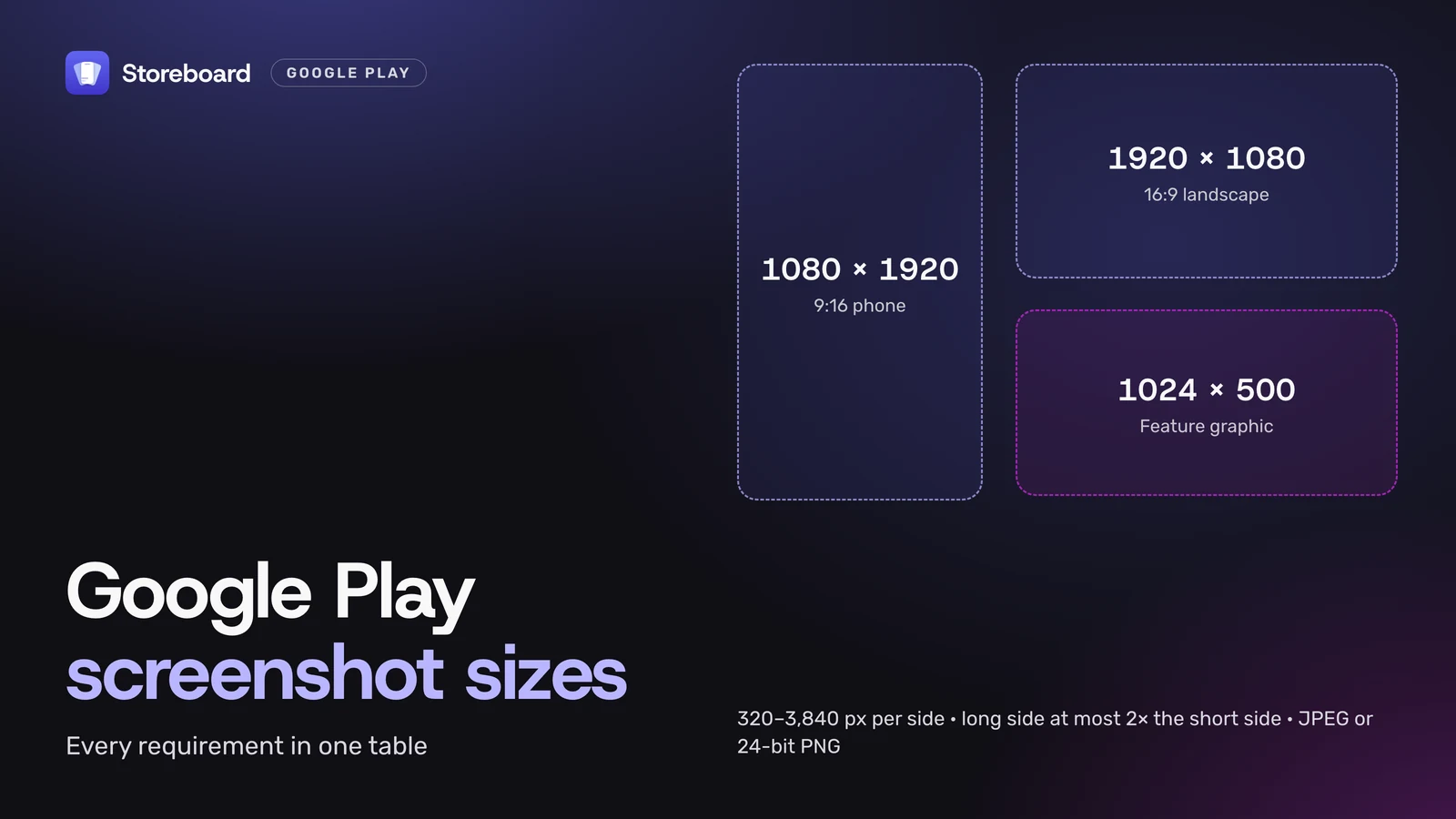
Google Play screenshot size rules are simple once you see them in one place. Screenshots must be JPEG or 24-bit PNG with no transparency, at least 320 pixels and at most 3,840 pixels on each side, and the long side can be no more than twice the short side. You can upload up to 8 per device type. To be eligible for Google Play's promotional placements, apps need at least 4 screenshots at 1080 pixels or more: 1080 × 1920 for portrait (9:16) or 1920 × 1080 for landscape (16:9). Below is the full table for phones, tablets, Chromebooks, Wear OS, Android TV, cars and Android XR, then the feature graphic, and the 2:1 rule that rejects most raw phone screenshots, including your App Store set.
Every number here comes from Google Play Console Help, Add preview assets to showcase your app, opened on 10 November 2026. Google changes these pages, so check it before a big design job.
On this page
- What size are Google Play screenshots?
- How many screenshots does Google Play need?
- Why does Google Play reject a screenshot?
- What size is the Google Play feature graphic?
- Tablet and Chromebook screenshots
- How do Google Play sizes compare with the App Store?
- How to export every size at once
- Questions
What size are Google Play screenshots?
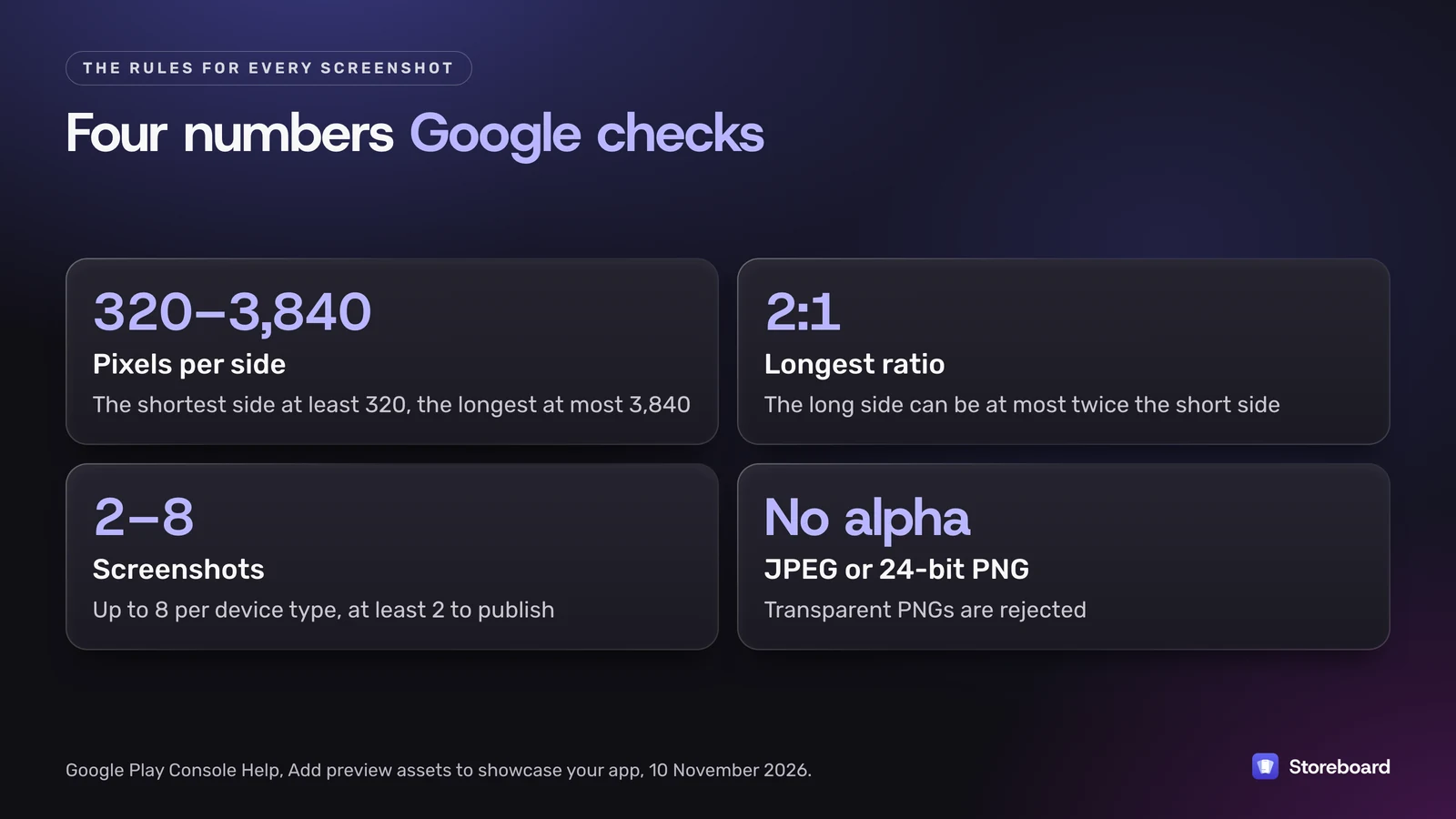
Every screenshot follows the same base rules: JPEG or 24-bit PNG with no alpha, 320 to 3,840 pixels per side, and a long side no more than twice the short side. Large screens and other devices add their own on top.
| Device | Size | How many | Also |
|---|---|---|---|
| Phone | 320–3,840 px per side, 2:1 at most. Best: 1080 × 1920 (9:16) or 1920 × 1080 (16:9) | Up to 8 | 4 or more at 1080 px+ to be eligible for promotion |
| Tablet (7-inch and 10-inch) | 1,080–7,680 px, 16:9 or 9:16 | At least 4, up to 8 | Leave out text that isn't part of the app |
| Chromebook | 1,080–7,680 px, 16:9 or 9:16 | At least 4, up to 8 | Same rules as tablets |
| Wear OS | 1:1, at least 384 × 384 | At least 1 | App interface only: no frames, extra text, backgrounds or transparency |
| Android TV | The base rules | At least 1 | Also needs a 1280 × 720 TV banner |
| Android Automotive OS | 800 × 1,280 portrait and 1,024 × 768 landscape | At least 2 of each, if you add them | Show the generic system UI, not a car maker's |
| Android XR | 8:5, at least 1920 × 1200 (3840 × 2400 recommended), up to 8 MB each | 4–8 | PNG or JPEG |
Games have their own promotion bar: at least three 16:9 landscape screenshots at 1920 × 1080 or more, or three 9:16 portrait ones at 1080 × 1920 or more, showing real gameplay.
How many screenshots does Google Play need?
At least two to publish, and up to 8 per device type. That's the floor, not the target. Google says apps need at least four screenshots at 1080 pixels or more to be eligible for its screenshot-based promotional formats, and if you list tablet or Chromebook support, those need at least four of their own.
My rule of thumb: fill at least four phone slots at 1080 × 1920, put the screenshot that explains your app best first, and only go to eight if each extra one shows something new.
Why does Google Play reject a screenshot?
Usually because of the 2:1 rule. Phone screens have grown taller than that, so a raw capture often fails.
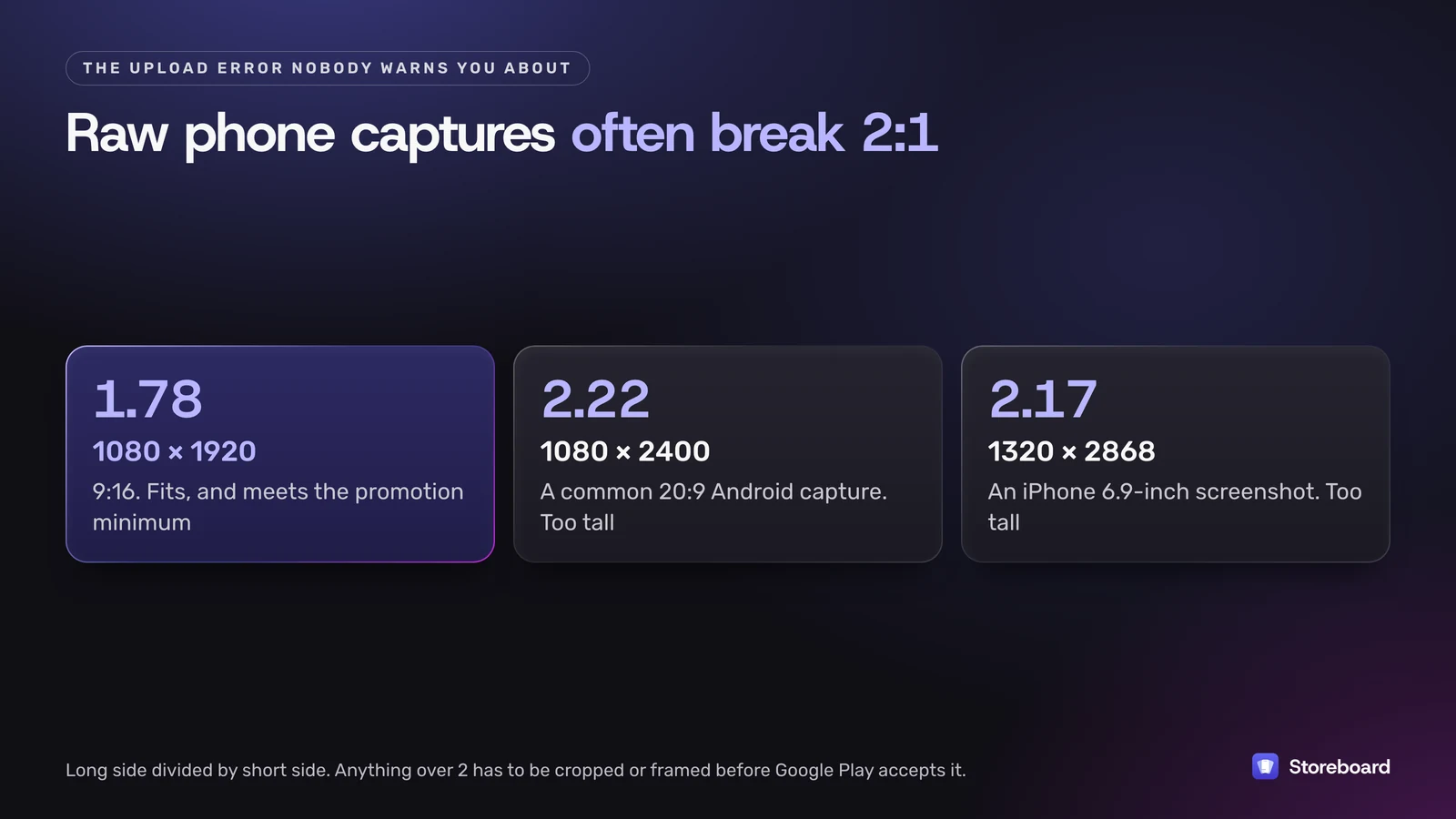
A 1080 × 2400 capture from a 20:9 Android phone is 2.22 times taller than it is wide. An App Store screenshot for the 6.9-inch iPhone, 1320 × 2868, is 2.17. Both are over Google's limit. The fix is the same one most store screenshots use anyway: place the capture on a 9:16 canvas with a background and a caption, or crop it.
The other common reasons, all from Google's own rules:
- Transparency. PNGs with an alpha channel are rejected. Export 24-bit PNG or JPEG.
- Not the real app. Screenshots must show the actual app or game, with no people or fingers holding the device unless the app is used away from the screen.
- A messy status bar. Hide the carrier name and notifications, and show full battery, Wi-Fi and signal.
- Too much text, or the wrong words. Taglines should take up no more than 20% of the image. Leave out ranking and price words, awards, testimonials and calls to action like "download now". Translate any text you do use.
- No alt text. Each screenshot needs alt text of 140 characters or fewer, and it can't start with "photo of" or "image of".
What size is the Google Play feature graphic?
The feature graphic is 1024 × 500 pixels, JPEG or 24-bit PNG with no alpha. It's the wide banner Google can show at the top of your listing and in promotions.
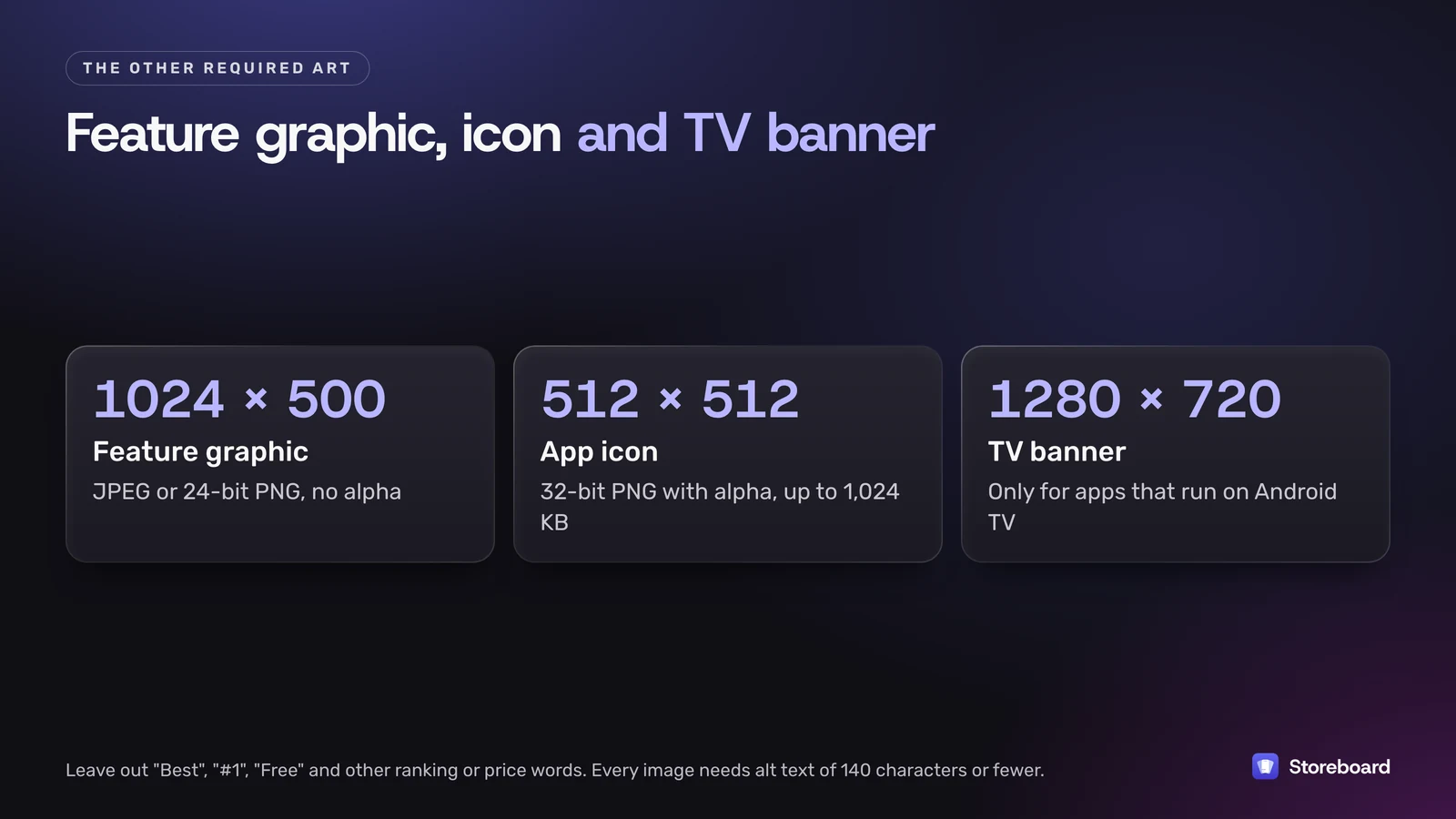
- Words to avoid: "Best", "#1", "Free", "Million Downloads" and anything time-sensitive.
- Edges: keep key text and logos away from the edges, where they can be cut off, and avoid fine detail.
- Language: translate any branding text for each language you list.
- App icon: 512 × 512, 32-bit PNG with alpha, up to 1,024 KB, with no badges or text suggesting ranking or price.
- Preview video: optional, added as a YouTube link. It must be public or unlisted, with ads off, not age-restricted and embeddable. Only the first 30 seconds autoplay, muted.
Tablet and Chromebook screenshots
Large screens have stricter rules than phones: between 1,080 and 7,680 pixels, in 16:9 for landscape or 9:16 for portrait, and at least four of them. Google's page doesn't give separate sizes for 7-inch and 10-inch tablets, so one set at 1920 × 1080 (or 1080 × 1920) meets both. For sharper images on big screens, 2560 × 1440 or 3840 × 2160 are still well inside the limit.
Google also asks you to leave out text that isn't part of the core app experience here, so keep large-screen screenshots closer to the plain app than your phone set.
How do Google Play sizes compare with the App Store?
| Google Play | App Store | |
|---|---|---|
| Sizes | A range: 320–3,840 px per side, 2:1 at most | Exact sizes per device, such as 1320 × 2868 for the largest iPhones |
| How many | Up to 8 per device type | 1 to 10 per device size |
| Format | JPEG or 24-bit PNG, no alpha | JPEG or PNG, no alpha |
| Banner | 1024 × 500 feature graphic | None on the product page |
So you can't upload your iPhone set to Google Play as is: the iPhone sizes are taller than 2:1, and iPad screenshots are 4:3, while Google wants 16:9 or 9:16 on tablets. Every App Store size is in our App Store screenshot sizes guide.
How to export every size at once
If you're doing both stores, the work is mostly the same design at two shapes. That's why I built Google Play into my Mac app, Storeboard: ASO Assistant. With Pro, turning on Google Play adds an Android phone set that starts from your iPhone screenshots. It exports at 9:16 in 1080 × 1920, 1440 × 2560 or 2160 × 3840, makes the 1024 × 500 feature graphic, and writes the Play title, short description and full description within their 30, 80 and 4,000 characters, in every language you localize.
To be clear about the limits: it doesn't make tablet, Chromebook, Wear OS or TV screenshots. For those, the table above is the checklist.
Make the App Store and Google Play sets in one project
Storeboard: ASO Assistant designs your App Store screenshots and, with Pro, a Google Play phone set at 9:16, the 1024 × 500 feature graphic and your Play listing, in every language you localize. It's free to start on the Mac App Store.
Questions
What is the best screenshot size for Google Play?
1080 × 1920 pixels in portrait (9:16), or 1920 × 1080 in landscape (16:9). Both fit every rule, and Google asks for at least four screenshots at 1080 pixels or more for an app to be eligible for its promotional placements.
What is the maximum screenshot size for Google Play?
3,840 pixels on the longest side for phone screenshots, and 7,680 for tablets and Chromebooks. The long side also can't be more than twice the short side.
Can I use my App Store screenshots on Google Play?
Not as they are. iPhone screenshots such as 1320 × 2868 are taller than Google's 2:1 limit, and iPad screenshots are 4:3, while Google asks for 16:9 or 9:16 on tablets. Place them on a 9:16 or 16:9 canvas first.
Does Google Play accept PNG screenshots with transparency?
No. Screenshots and the feature graphic must be JPEG or 24-bit PNG with no alpha channel. Only the 512 × 512 app icon is a 32-bit PNG with alpha.
How many screenshots can I upload to Google Play?
Up to 8 per device type. You need at least 2 to publish, at least 4 for tablets and Chromebooks if you support them, and at least 4 at 1080 pixels or more for promotion eligibility.
What size is the Google Play feature graphic?
1024 × 500 pixels, JPEG or 24-bit PNG with no alpha. Keep key text and logos away from the edges, translate any text, and leave out words like Best, #1 and Free.
Sources
Pages read on 10 November 2026 (Melbourne time).
- Google Play Console Help: Add preview assets to showcase your app
- Google Play Console Help: Best practices for your store listing
- App Store Connect Help: Screenshot specifications