 Storeboard
Storeboard/Blog/Asset Library errors
Asset Library errors in App Store Connect, and how to fix them
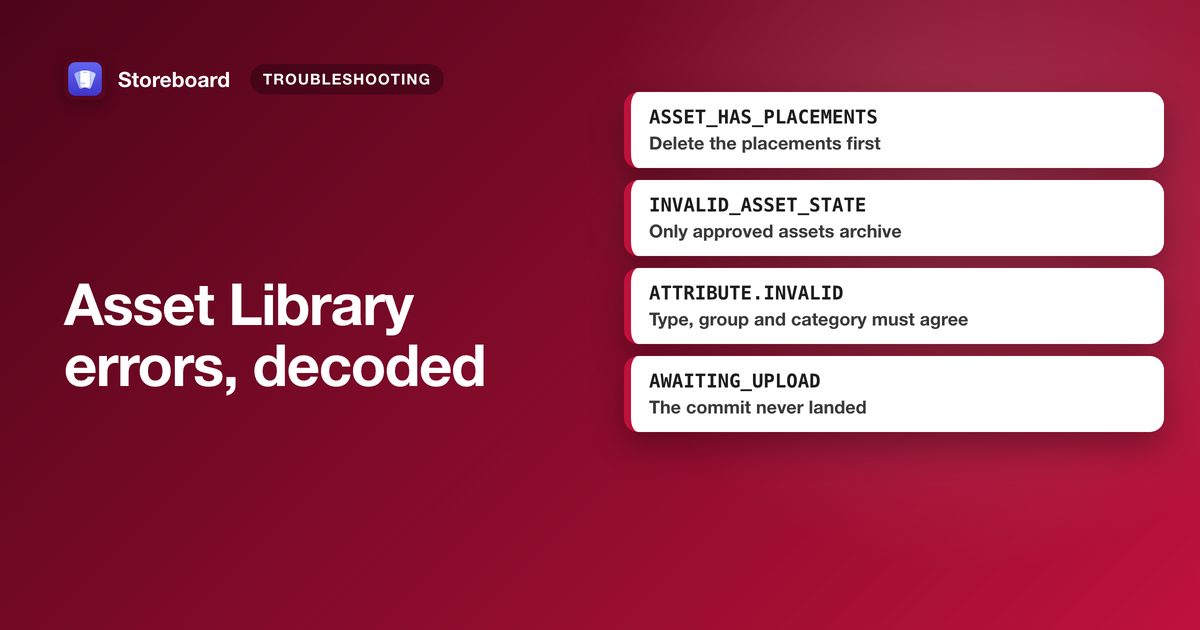
Most Asset Library problems come from four rules: an asset can only be deleted before it's ever submitted, and only once nothing places it; only an approved asset can be archived; a placement's type, device group and the asset's category must agree; and placements can only be added while the version or page is still editable. Find your symptom below for the cause and the fix.
Apple's Asset Library arrived on 5 October 2026 with new statuses and new rules, and its errors don't always say which rule you broke. This page maps each symptom to its cause, using Apple's help pages and API documentation (checked 31 October 2026) and what we hit while building Asset Library publishing into Storeboard.
At a glance
| Symptom | Usual cause | Fix |
|---|---|---|
| Stuck in Uploading | The upload was never committed | Commit it, or delete it and upload again |
| Processing FAILED | The file doesn't match a spec | Read the reason, delete, re-upload a fixed file |
| Can't delete | It was submitted, or it's still placed | Archive it, or remove its placements first |
| Can't archive | It isn't approved | Delete it instead, or wait for approval |
| Placement refused | Wrong category or group, slot full, or the page is approved | Match the reference data; use an editable version |
| Accepted, not live | Another item in the submission was rejected | Fix or remove that item |
| Can't submit on its own | No approved version yet, or its parent is in review | Submit with the version, or wait |
| No iPhone Duo slot | The API's old screenshot sets have no Duo type | Use Asset Library placements, at an exact Duo size |
Asset stuck in Uploading or Processing
The two look alike in App Store Connect but mean different things. Through the API you can tell them apart:
- Uploading (
AWAITING_UPLOAD) means Apple is still waiting for the file. The upload was reserved but never committed withPATCHand"uploaded": true, or a part never arrived. Commit it, or delete it and start again. To find every abandoned upload, listGET /v1/appAssetLibraries/{id}/images?filter[state]=AWAITING_UPLOAD. - Processing (
UPLOAD_COMPLETE) means Apple has the file and is checking it. Apple says you can't act on the asset until that finishes, and doesn't publish how long it takes. Wait.
From our own publishing: with the older screenshot API, a commit that returned success could still leave an image waiting for upload, and App Store Connect then blocked Add for Review with "1 or more screenshots must finish processing". Reading each asset's state back after the run and re-sending the stragglers fixed it. Do the same with the Asset Library: a 200 on the commit isn't proof of delivery.
Asset processing FAILED
The API state FAILED means Apple couldn't process the file; its
stateDetails give the reason. You can't fix a failed asset in place: delete it and upload
a corrected file. Common causes:
- Size. Screenshot and preview specs are exact pixel sizes, not ranges. A Duo screenshot must be exactly 2007 × 2853, 1398 × 2034 or a landscape version of either.
- Transparency. Screenshots and creative asset images can't have an alpha channel. Flatten before exporting.
- Byte count. The commit is checked against the
fileSizeyou sent when reserving; a mismatch fails. - Video length or audio. Apple checks footage only after upload, so a clip outside the duration range (5 to 30 seconds for header and search videos), or without audio where the spec requires it, fails processing rather than being refused up front.
If processing succeeds but the asset won't fit the slot you meant, check its specId:
Apple matched the file to a different spec than you expected.
Why can't I delete an asset?
- It's been submitted. App Store Connect only deletes assets in Prepare for Submission. An approved asset can be archived instead.
- It's still placed. Through the API, deleting an asset that a version, page or
event still uses returns
409 STATE_ERROR.ASSET_HAS_PLACEMENTS: "The asset cannot be deleted while placements still use it. Delete those placements first." List them withGET /v1/appAssetLibraryImages/{id}/placements, delete each, then delete the asset. This is the reverse of the old screenshot sets, where deleting the set took its screenshots with it.
"Only an approved asset can be archived"
Archiving an asset that hasn't been approved returns 409
STATE_ERROR.INVALID_ASSET_STATE with that message. If the asset was never submitted, delete it;
if it's in review, wait for the result. Archived assets can't be used in new placements, are hidden
from the library unless you filter by status, and come back with Unarchive Asset.
An archived asset came back on its own? Apple says an archived asset may be restored automatically when a new version of a placement carries it over.
A placement is refused
409 ENTITY_ERROR.ATTRIBUTE.INVALID, "The requested 'placementType' and 'placementGroup' combination is not supported for this parent." The slot doesn't accept the asset's category (a screenshot uploaded as a creative asset, or the reverse), or the group doesn't belong to that slot. Category is fixed at upload, so re-upload with the right one, and take group names from the reference data.409 STATE_ERROR.INVALID_STATE, "Creating a placement is not permitted in … current state." The version or custom product page is already approved. Place on a version in Prepare for Submission. To change the header on the live version without one, get the asset approved on its own, then use Browse Assets and Publish on the live version's Header and Search Results tab.- The slot is full. On a version, Apple's documentation gives 10 screenshots, 3 app previews and 1 header per device group; In-App Event slots take one asset. Remove a placement first. Custom product pages and tests have their own limits in the reference data.
Asset says Accepted but isn't live
Accepted isn't approved. It means your asset passed but something else in the same submission was rejected, and Apple publishes nothing from a submission until every item is accepted. Fix the rejected item and resubmit, or remove it from the submission.
Header or search results image rejected
App Review's message gives the reason. Apple's asset best practices list the usual ones for creative assets:
- Content above a 4+ age rating, even if your app is rated higher.
- Prices, discounts, website URLs or copyright symbols.
- Claims you can't back up, such as awards you haven't won.
- Other platforms, stores or marketplaces.
- Apple recognitions such as Editors' Choice or App of the Day.
- Too much text: Apple suggests a short phrase that adds to the image.
Edit or replace the asset and resubmit, or take it out of the submission so the rest can go live. Our header and search results images guide covers the design side.
Can't submit an asset on its own
- No approved version yet. A new app's assets go in with its first version.
- It's assigned to something. Assets placed on a version, custom product page, test or In-App Event are reviewed with that item, and can't be submitted alone while it's in an active submission.
- Your role. Apple's submit page lists only the Account Holder, Admin and App Manager roles; Marketing is listed for managing assets, not submitting them.
Can't find the iPhone Duo screenshot slot
- It's new. Apple published the Duo sizes on 9 September and said uploading Duo assets would be supported later in the year. On 5 October, the day the Asset Library launched, it began accepting iPhone Duo optimized apps.
- Through the API, there's no Duo screenshot set. The deprecated
appScreenshotSetsresource has no iPhone Duo display type. Duo screenshots go in the Asset Library as screenshot assets, placed in a group whose display class isIPHONE_DUO(read fromGET /v1/appAssetLibraryRefData). - In App Store Connect, Apple's help doesn't yet say which screen shows the Duo sizes. Try the Asset Library and the Media Manager (View All Sizes).
- They aren't required yet. Apple requires them from April 2027 for apps on the iOS 27.1 SDK or later. Sizes and design advice: iPhone Duo App Store screenshots.
Header or search image not showing on the App Store
- Device: Apple says creative assets are for iOS and iPadOS apps and appear on iOS 27 and iPadOS 27 and later, so older versions won't show them. Apple doesn't list the Mac App Store.
- Status: the asset must be approved and then live: with a released version, or published to the live version with Browse Assets and Publish.
- Search results slot empty: a header only fills search results if it's a universal (5244 × 2950) asset and you chose Use header asset in search results. Otherwise the search slot needs its own asset.
- Only some languages: placements are per localization. A language with no placement has no header.
Can't change a video's poster frame
Apple's help says poster frames can't be changed after approval. Before then, change it in the
Asset Library (it applies everywhere the video is used) or PATCH previewFrameTimeCode
through the API. After approval, upload the video again with the frame you want.
Send creative assets that pass the first time
Storeboard 1.3, coming as an update, designs header, search results and iPhone Duo assets at Apple's exact sizes in every language, checks the header text for prices, URLs, © and other platforms before you submit, and publishes them to the Asset Library with your own API key. Free to download, with an optional one-time Pro purchase.
Get Storeboard for MacFAQ
How long does Asset Library processing take?
Apple doesn't publish a time. An asset in Processing has arrived and is being checked; one still in Uploading was never committed, so it won't finish on its own. Commit it, or delete it and upload again.
What does STATE_ERROR.ASSET_HAS_PLACEMENTS mean?
You tried to delete an asset that a version, custom product page, test or In-App Event still uses. Delete those placements first, then the asset.
Why does it say only an approved asset can be archived?
Archiving is for approved assets. An asset that was never submitted can be deleted instead; one in review has to wait for the result.
Why is my asset Accepted but not on the App Store?
Another item in the same submission was rejected. Nothing in a submission publishes until every item is accepted, so fix or remove the rejected item.
Why can't I add a placement to my version?
Placements can only be added while the version or custom product page is editable. Once it's approved, use a new version, or for the live header, get the asset approved alone and publish it with Browse Assets.