 Storeboard
Storeboard/Blog/iPhone Duo screenshots
iPhone Duo App Store screenshots
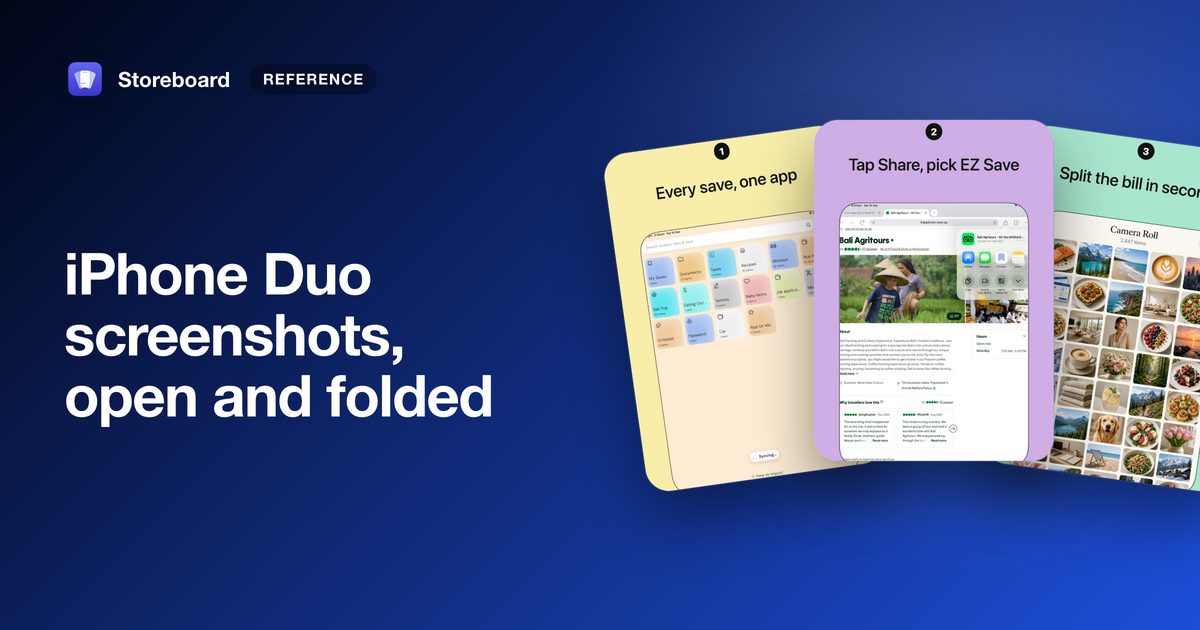
iPhone Duo screenshots come in two sizes: 2007 × 2853 for the open, unfolded screen and 1398 × 2034 for the folded one, each also accepted in landscape (2853 × 2007 and 2034 × 1398). Apple will require them from April 2027 for apps built with the iOS 27.1 SDK or later. Upload them sooner and your product page shows a badge saying your app is optimized for iPhone Duo.
iPhone Duo is Apple's folding iPhone. Closed, it's a phone. Open, it has a screen close to iPad proportions. That makes its screenshots a separate set to design, not a resize of your iPhone ones. Here's what Apple has published, and what we learned making Duo screenshots for our own app, EZ Save.
iPhone Duo screenshot sizes
In pixels, from Apple's screenshot specifications:
| Display | Portrait | Landscape |
|---|---|---|
| Inner display (open) | 2007 × 2853 | 2853 × 2007 |
| Outer display (folded) | 1398 × 2034 | 2034 × 1398 |
The same rules as every other device apply: at least one and up to 10 screenshots per size, as JPEG or PNG, with no transparency. Apple lists each pair without naming the orientations; the wider size of each pair is the landscape one.
Do you need iPhone Duo screenshots?
- Not yet. Apple says they'll be required from April 2027 for any app using the iOS 27.1 SDK or later. Until then, the only required iPhone size is still the iPhone with Dynamic Island.
- They earn a badge now. Apple says that once you submit iPhone Duo screenshots, your product page shows a badge telling people your app is optimized for iPhone Duo.
- They have to show the real app. Apps built with the iOS 27 SDK resize to fill the open screen; with the iOS 27.1 SDK, toolbars and tab bars run vertically below the status bar (Apple's preparation guide). Take your source screenshots from the iPhone Duo simulator in Xcode 27.1, which Apple calls the best way to test the full native experience.
Open or folded: they're different shapes
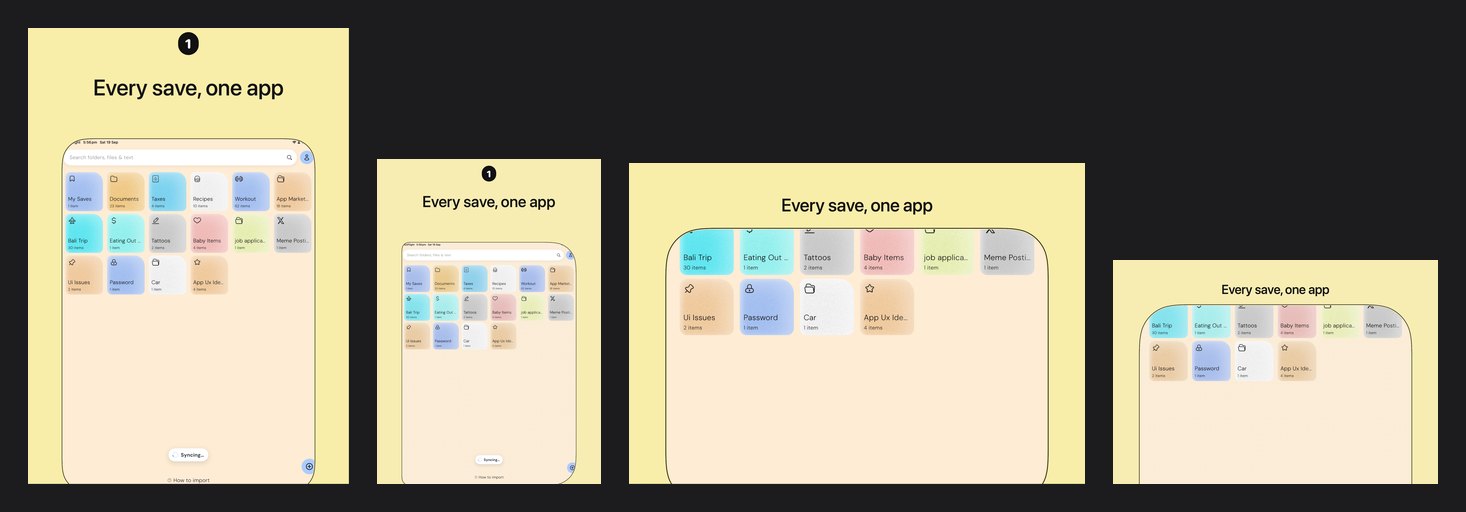
An iPhone screenshot is tall and narrow, about 0.46 as wide as it is tall. Both Duo screens are far wider: the open screen is about 0.70 and the folded one about 0.69, close to the 13-inch iPad's 0.75. Put a tall iPhone layout on a Duo canvas and you get either a small phone lost in space or a cropped one. Design the Duo set as its own thing:
- Start with the open screen. It's the bigger, more striking one, and it's what people unfold the phone for.
- Show the app filling the screen. The point of the badge is that your app adapts. A screenshot of a letterboxed app with empty bars down the sides says the opposite.
- Keep captions short. A wide canvas tempts you into long lines, but in search results the screenshot is still small.
Portrait or landscape?
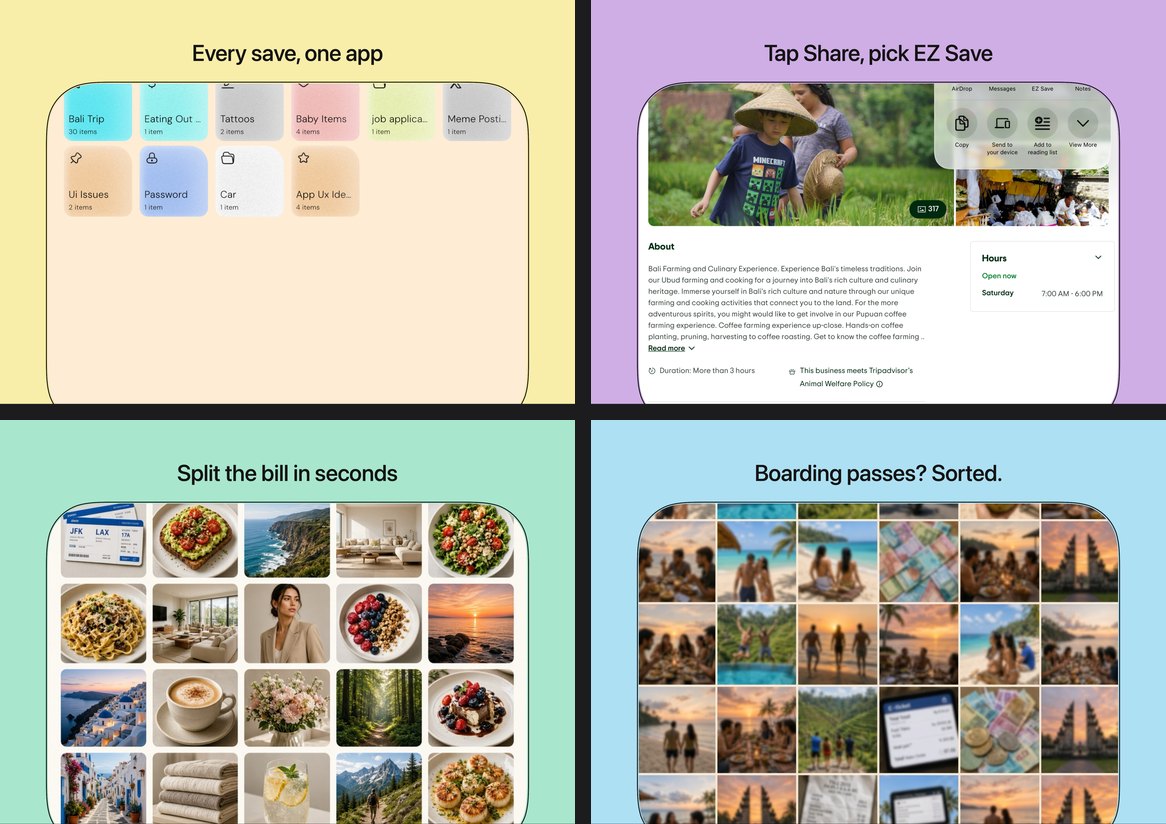
Both are accepted, and Apple suggests screenshots and app previews "that highlight your app across orientations". Landscape suits apps people use open on a table: reading, video, photos, two panes side by side. If your app looks the same either way, portrait is the safer default, because it matches the rest of your iPhone screenshots in search.
Check them before you submit
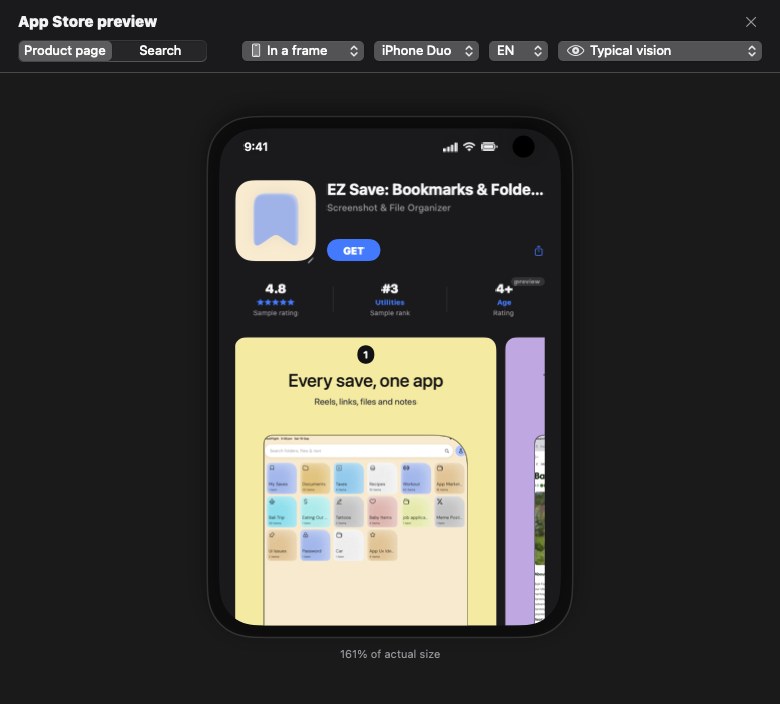
App Store Connect has a preview that shows your screenshots and product page header on an iPhone Duo product page. Use it, folded and open: a caption that reads well on your Mac can be small on the folded screen.
iPhone Duo and featuring
If you nominate an update for featuring, Apple's guide suggests saying in the nomination's Helpful Details that your app is optimized for iPhone Duo, including support for all device poses. Our guide to getting featured on the App Store covers the rest of the form.
Making iPhone Duo screenshots in Storeboard Coming soon
Storeboard 1.3 adds iPhone Duo. It isn't on the App Store yet: today's version is 1.1.6, and 1.3 arrives as an update.
- Add it from View ▸ Device ▸ iPhone Duo; it gets its own set of screens in a Duo frame.
- Switch between Unfolded and Folded, and Portrait and Landscape, in the inspector under Frame style ▸ Display. Every look has a landscape layout.
- Export both sizes for every language, or publish them straight to App Store Connect with your own API key.
- See your product page in a Duo frame, open or folded, in Storeboard's App Store preview.
Every figure on this page was rendered by Storeboard 1.3 from EZ Save's project. More in what's coming in Storeboard 1.3.
Design iPhone Duo screenshots in every language
Storeboard runs on your Mac: no account, no upload. Free to download, with an optional one-time Pro purchase. iPhone Duo arrives in 1.3.
Get Storeboard for MacFAQ
What size are iPhone Duo App Store screenshots?
The open, inner display takes 2007 × 2853 pixels in portrait or 2853 × 2007 in landscape. The folded, outer display takes 1398 × 2034 or 2034 × 1398. JPEG or PNG, no transparency, 1 to 10 per size.
Are iPhone Duo screenshots required?
Not yet. Apple says they will be required from April 2027 for apps using the iOS 27.1 SDK or later. The required iPhone size today is still the iPhone with Dynamic Island.
What does the iPhone Duo badge mean?
Apple says that when you submit iPhone Duo screenshots, your product page shows a badge telling people your app is optimized for iPhone Duo.
Can I resize my iPhone screenshots for iPhone Duo?
Not well. iPhone screenshots are about 0.46 as wide as they are tall; the Duo screens are about 0.70 open and 0.69 folded. A resized iPhone layout leaves a small phone in a lot of space, or gets cropped. Design the Duo set separately.
Should iPhone Duo screenshots be portrait or landscape?
Either is accepted. Apple suggests showing your app across orientations. Landscape suits reading, video and two-pane apps; portrait matches the rest of your iPhone screenshots in search.