 Storeboard
/Blog/Storeboard vs Astro
Storeboard vs Astro ASO: which tool should an indie dev use?
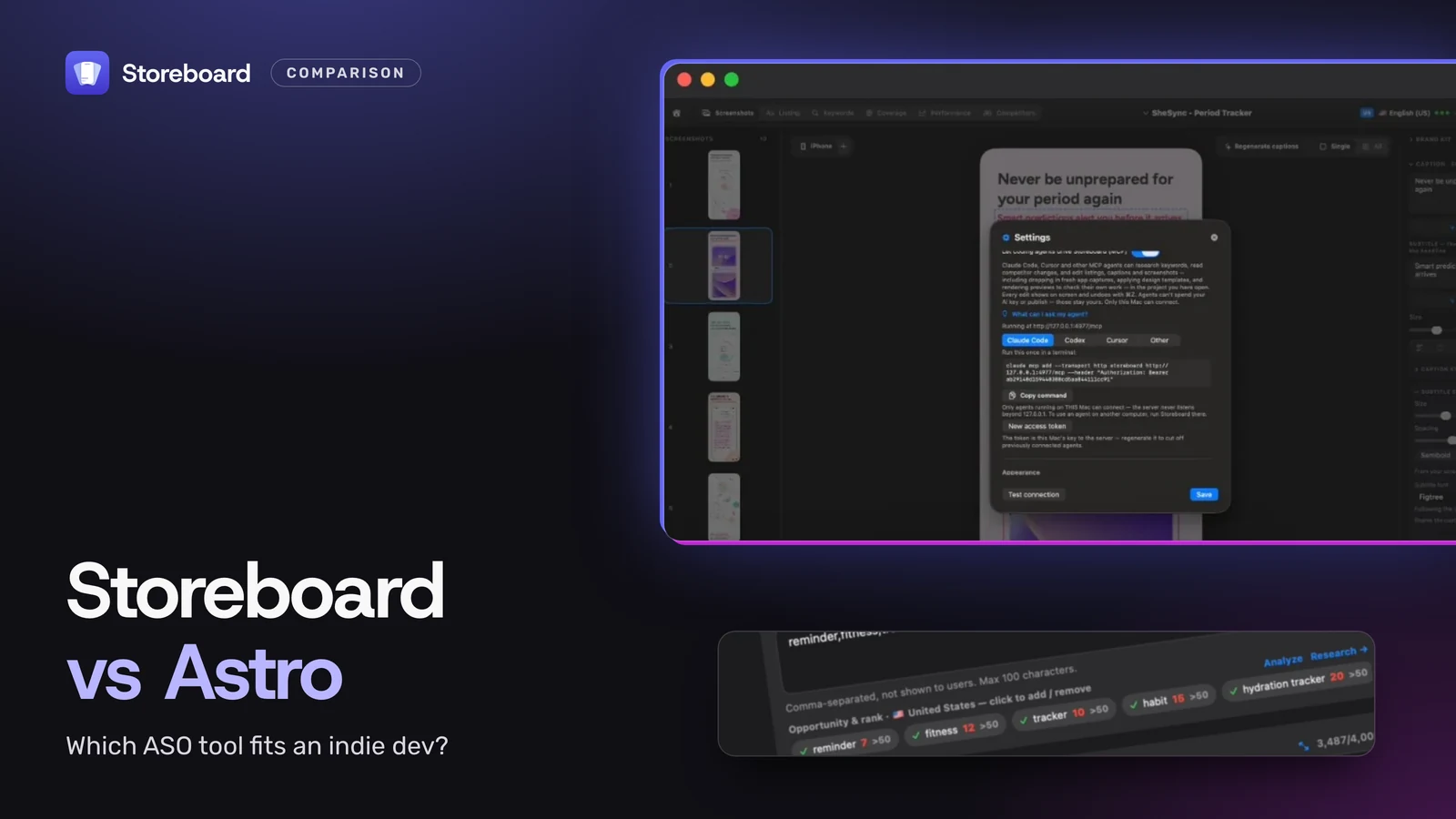
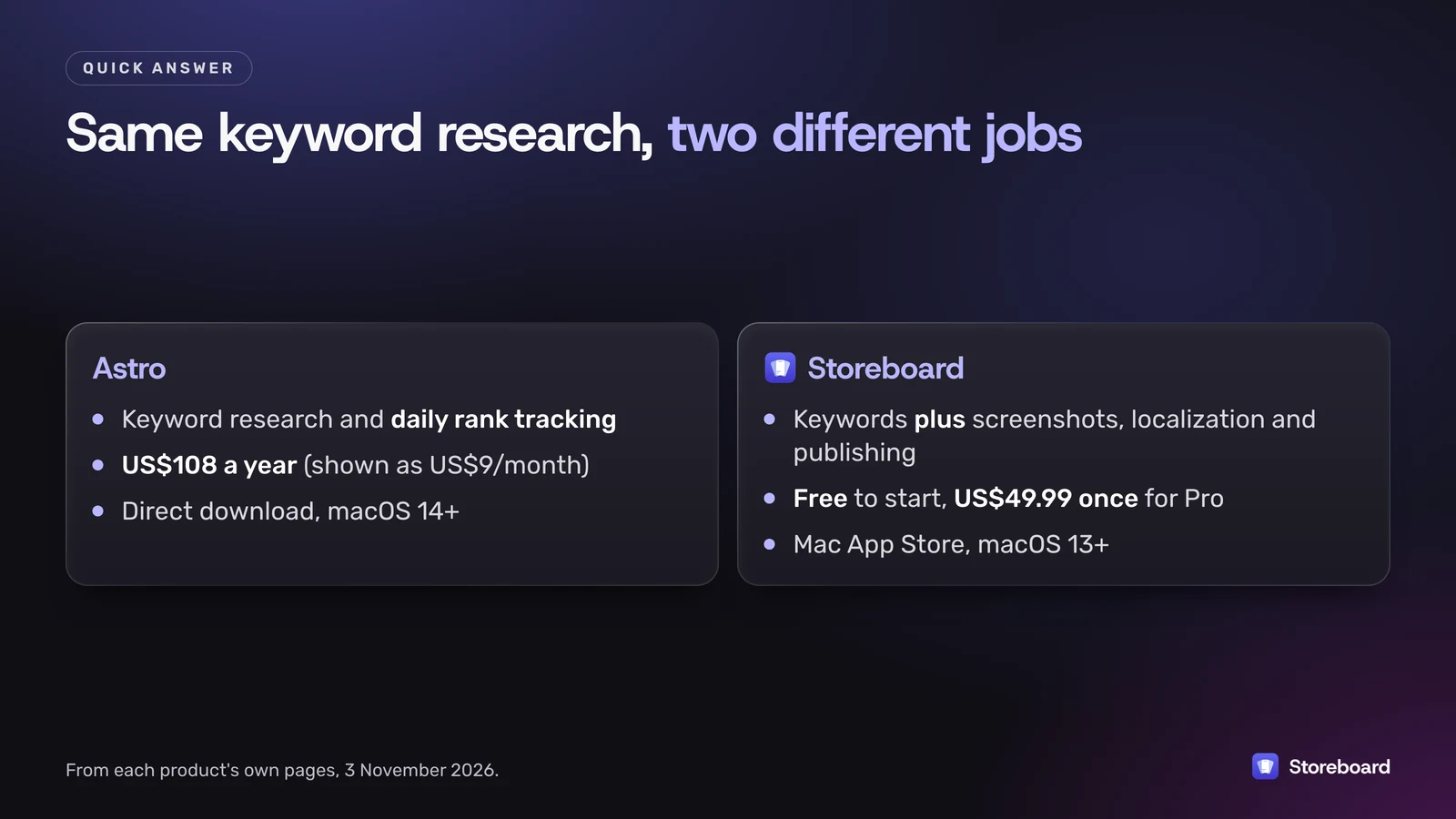
Pick Astro if you only want keyword research and daily rank tracking on your Mac, and a US$108-a-year subscription suits you. Pick Storeboard: ASO Assistant if you also design screenshots, localize the listing and publish it to App Store Connect, and you'd rather start free and pay once (US$49.99 for Pro). Storeboard also runs a local MCP server, so you can manage the whole listing yourself or let your coding agent (Claude Code, Cursor or Codex) do it. I make Storeboard, so below is exactly where Astro is the better tool, a dated feature and price table, and what Appfigures, AppTweak and Sensor Tower cost if you outgrow both.
I'm Sanket, and Storeboard is my app. Everything about Astro here comes from its own website, docs and privacy policy, read on 3 November 2026, not from a long hands-on test. Prices are in US dollars and change; check each vendor's page before you buy.
On this page
- What's the quick verdict?
- What does Astro do?
- What does Storeboard: ASO Assistant do?
- How do they compare, feature by feature?
- Can an AI agent manage my App Store listing through MCP?
- What does each cost over three years?
- What about Appfigures, AppTweak and Sensor Tower?
- Which should you choose?
- Questions
What's the quick verdict?
Astro and Storeboard overlap on one job, keyword research, and then go different ways.
- Astro is a keyword and ranking tracker. It pulls popularity from Apple Search Ads, scores how hard a keyword is, tracks your rankings daily with history charts, and covers more than 60 stores. If rank history is the thing you check every morning, it's built for that.
- Storeboard is a listing studio. Keyword research is one part; the rest is designing screenshots, writing and translating the name, subtitle, keywords and description, then pushing all of it to App Store Connect. It has no server, so it doesn't keep the kind of deep, server-side rank archive a tracker does.
If your problem is "which keywords and where do I rank", Astro is focused and simple. If your problem is "my whole App Store page needs work and I'm doing it alone", Storeboard covers more of the job.
What does Astro do?
Astro is a macOS app (macOS 14 or later) from 28 bit S.R.L. in San Marino. You download it from tryastro.app; I couldn't find it on the Mac App Store. As of 3 November 2026, its site and docs describe:
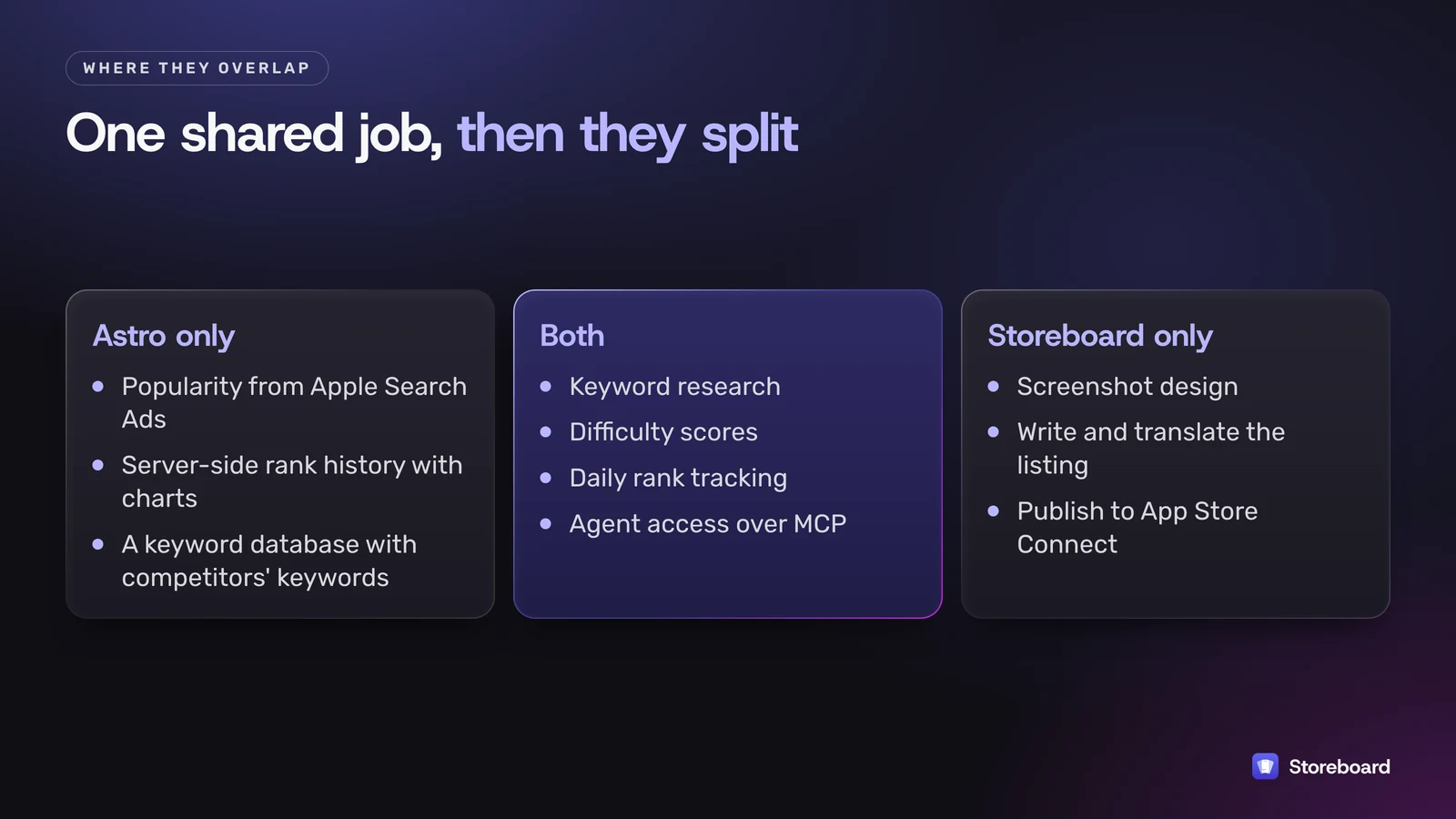
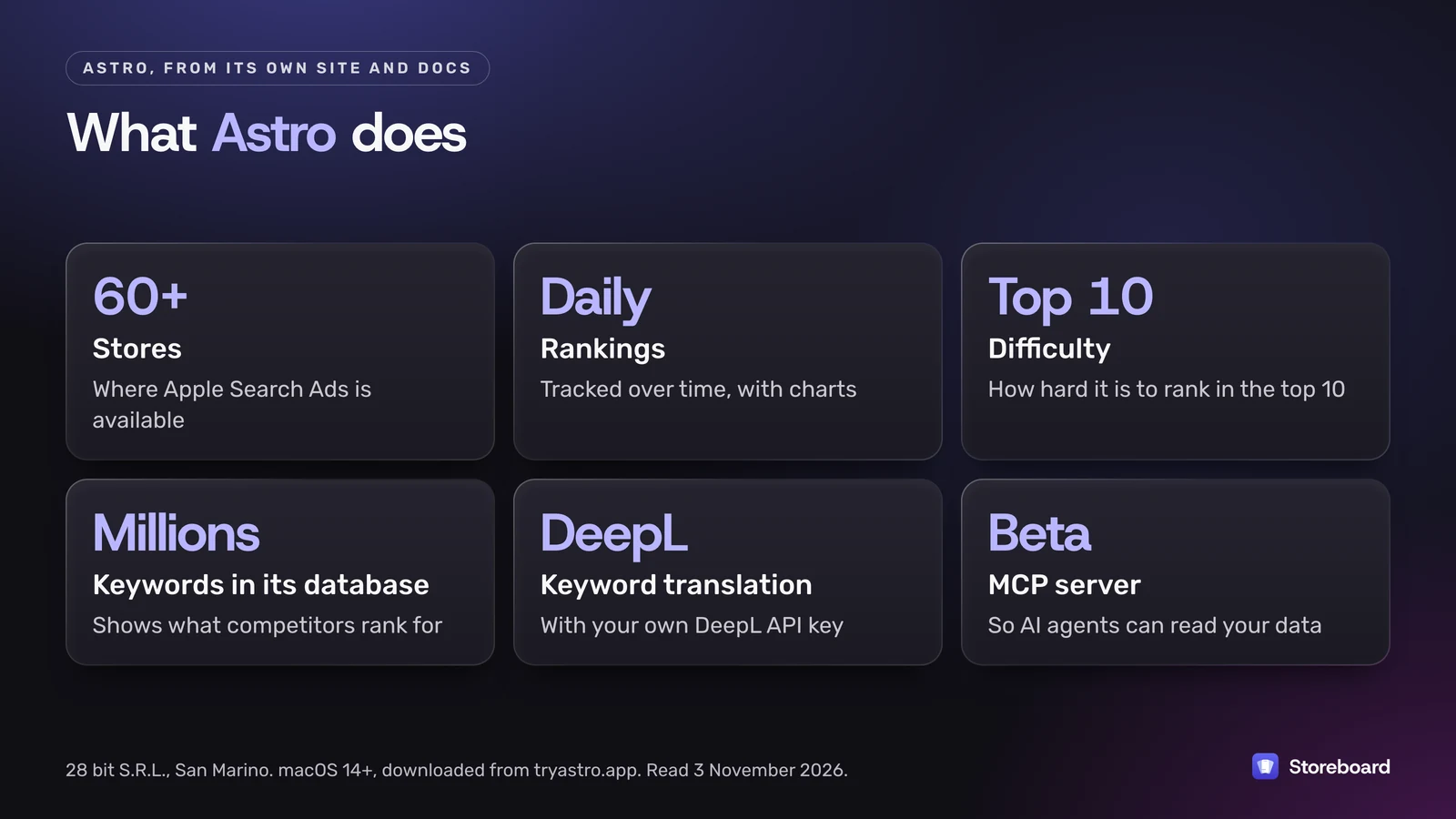
- Popularity and difficulty. Astro says it takes popularity data directly from Apple Search Ads and calculates how hard it is to rank in the top 10 for a keyword.
- Daily rankings with history. Your positions are tracked over time, with charts.
- 60+ stores. You can add keywords in more than 60 stores where Apple Search Ads is available.
- Keyword suggestions and competitor keywords. Astro says its database holds millions of keywords, so it can show which keywords an app ranks for, including your competitors'.
- Ratings across stores, tags, temporary apps for quick looks, and CSV import and export.
- Translation of foreign keywords through DeepL, using your own DeepL API key.
- An MCP server (marked beta) so AI agents can read your Astro data.
Pricing on the site is one plan: a single-Mac license at US$9 a month, billed annually as US$108, with unlimited keywords and apps and a 14-day refund window. There's a "Start Trial" button, and the privacy policy mentions a free, limited demo that needs no account. Payment goes through Lemon Squeezy.
On privacy, Astro's policy says your projects, saved keywords and DeepL key stay on your Mac. It also says the app sends usage analytics to Mixpanel and crash reports to Sentry, and that its server keeps aggregated keyword data about the apps ranking for keywords users add. That's a normal setup for a tracker; it's just worth knowing.
What does Storeboard: ASO Assistant do?
Storeboard is my Mac app (macOS 13 or later, version 1.1.6 on the Mac App Store as I write). It's built around one idea: you should be able to fix your whole App Store page in one place, on your own Mac.
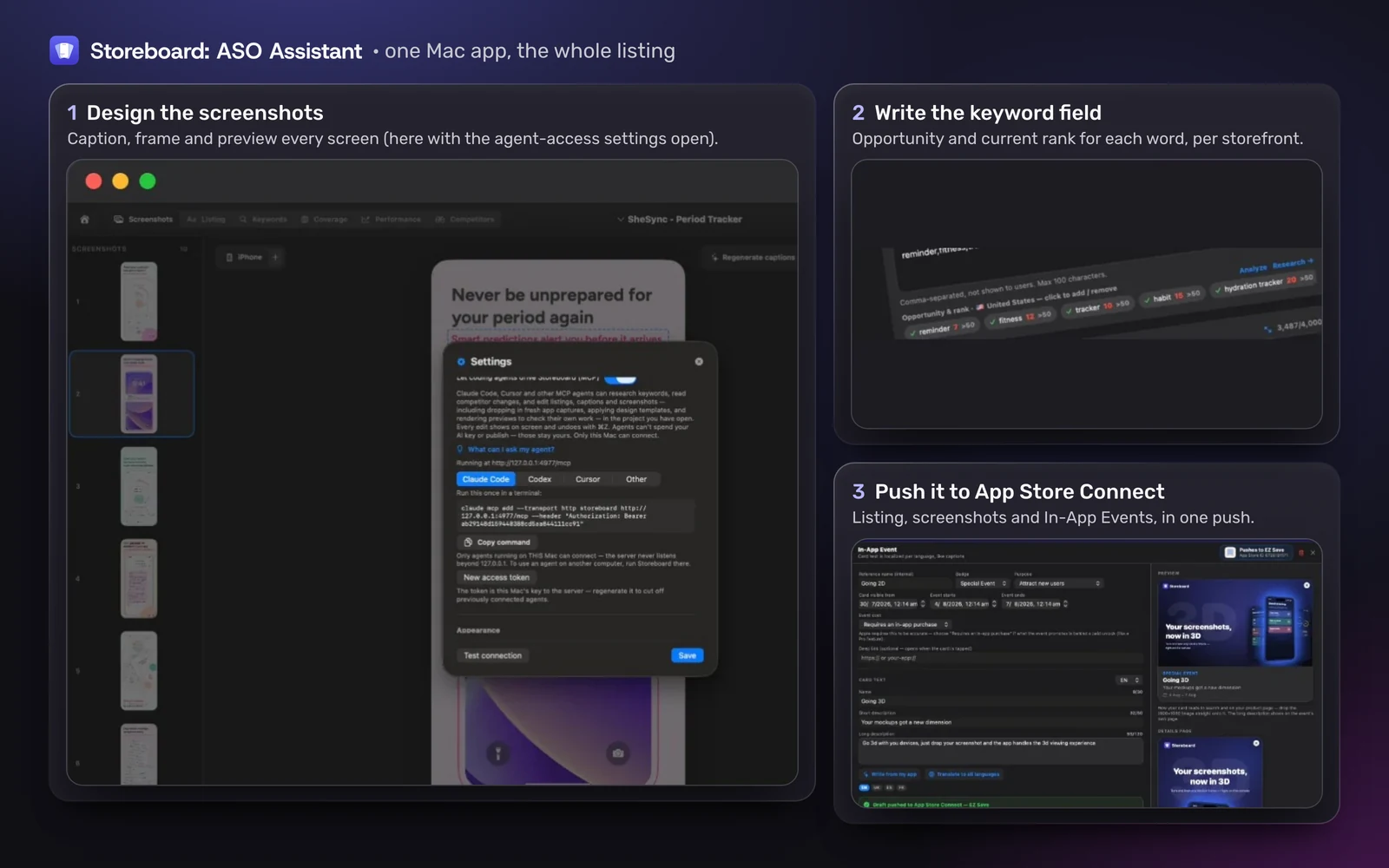
- Keyword research per storefront. Popularity, Difficulty and Opportunity for a term, plus who ranks for it now. Popularity is estimated from Apple's public App Store endpoints, or comes straight from Apple when you link your own Apple Ads account.
- Daily rank tracking for the keywords you follow, refreshed once a day on your Mac.
- A screenshot editor for every device size, with 84 fonts and designer looks.
- AI writing and translation of captions and the listing, with Apple Intelligence on your Mac for free, or your own Anthropic, OpenAI or Google key. The pricing page puts a full 36-language translation at about US$1 to US$3 in API costs with your own key.
- Publishing to App Store Connect: metadata, screenshots and In-App Events in one push.
- Agent access over MCP, so Claude Code, Cursor or Codex can research keywords and edit the project. Agents can't publish or spend your AI key.
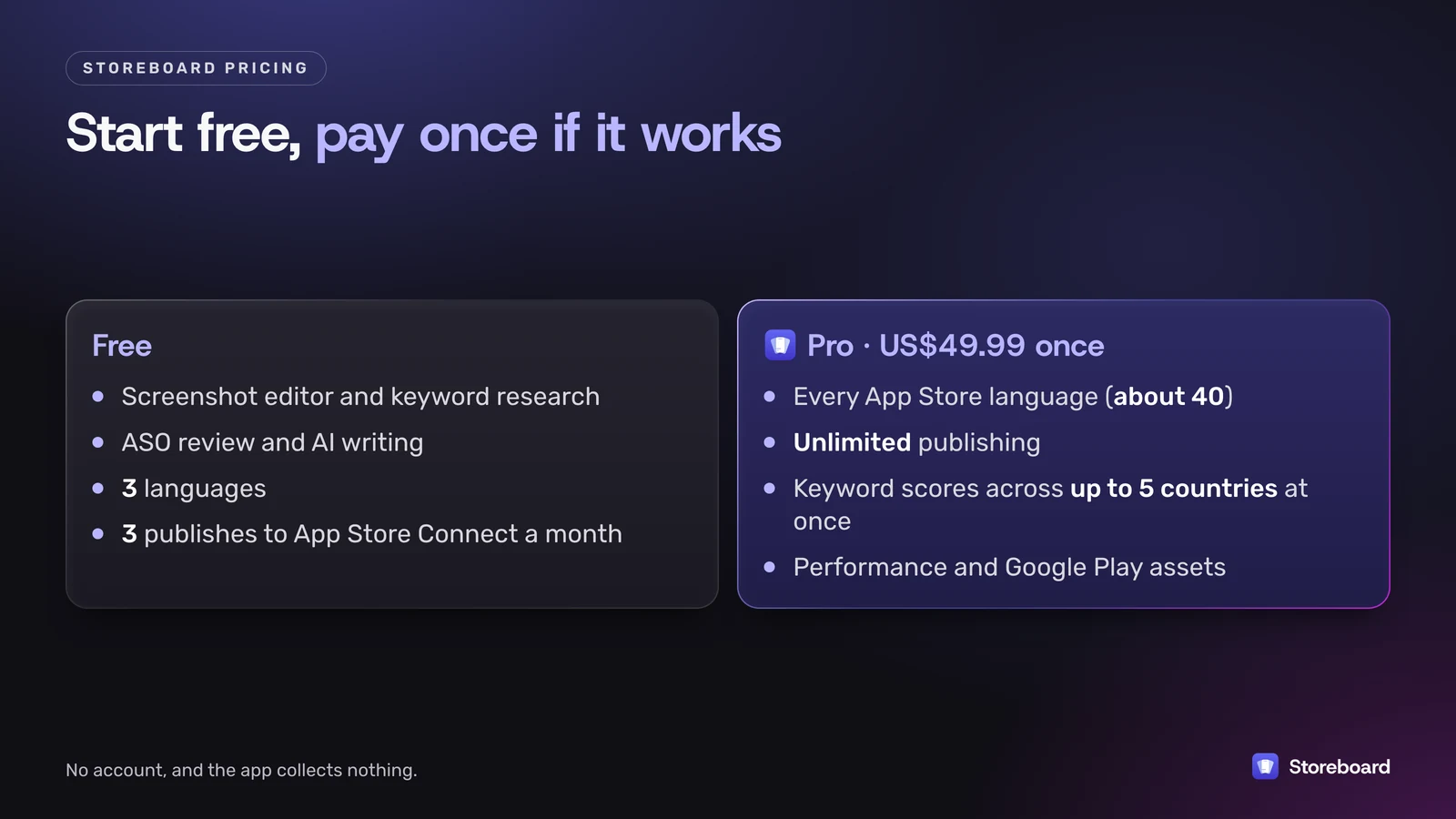
The free version includes the screenshot editor, keyword research, the ASO review and AI writing, with 3 languages and 3 publishes to App Store Connect a month. Pro is US$49.99 once and adds every App Store language (about 40), unlimited publishing, keyword scores across up to 5 countries at once, Performance (downloads, revenue, conversion and ratings) and Google Play assets. There's no account, and the app collects nothing.
How do Astro and Storeboard compare, feature by feature?
Checked against each product's own pages on 3 November 2026. "Not listed" means I didn't see it on the vendor's site or docs, not that it can't be done.
| Feature | Astro | Storeboard: ASO Assistant |
|---|---|---|
| Where you get it | tryastro.app (direct download) | Mac App Store |
| Requires | macOS 14+ | macOS 13+ |
| Price | US$108/year (shown as US$9/month, billed annually) | Free; Pro US$49.99 once |
| Free option | Trial and a limited demo | Free tier, no time limit |
| Macs per license | Single Mac (license transfer documented) | Every Mac on your Apple Account |
| Keyword popularity | From Apple Search Ads | Estimated from Apple's public endpoints; Apple's own figure if you link Apple Ads |
| Keyword difficulty | Yes | Yes, plus an Opportunity score |
| Rank tracking | Daily, with history charts | Daily, on your Mac |
| Stores covered | 60+ (Apple Search Ads countries) | Any storefront, one at a time free; up to 5 at once on Pro |
| Competitor keywords | Yes, from its keyword database | Who ranks for each term; competitor insights |
| Screenshot design | Not listed | Yes, every device size |
| Write and translate the listing | Keyword translation via DeepL (your key) | Captions and full metadata, about 40 languages on Pro |
| Publish to App Store Connect | Not listed | Yes (3 a month free, unlimited on Pro) |
| AI agents (MCP) | Yes (beta) | Yes |
| Analytics in the app | Mixpanel, Sentry crash reports | None |
| Account | Email at purchase (Lemon Squeezy) | None; bought through Apple |
Where is Astro the better choice?
I'd point you to Astro over Storeboard when:
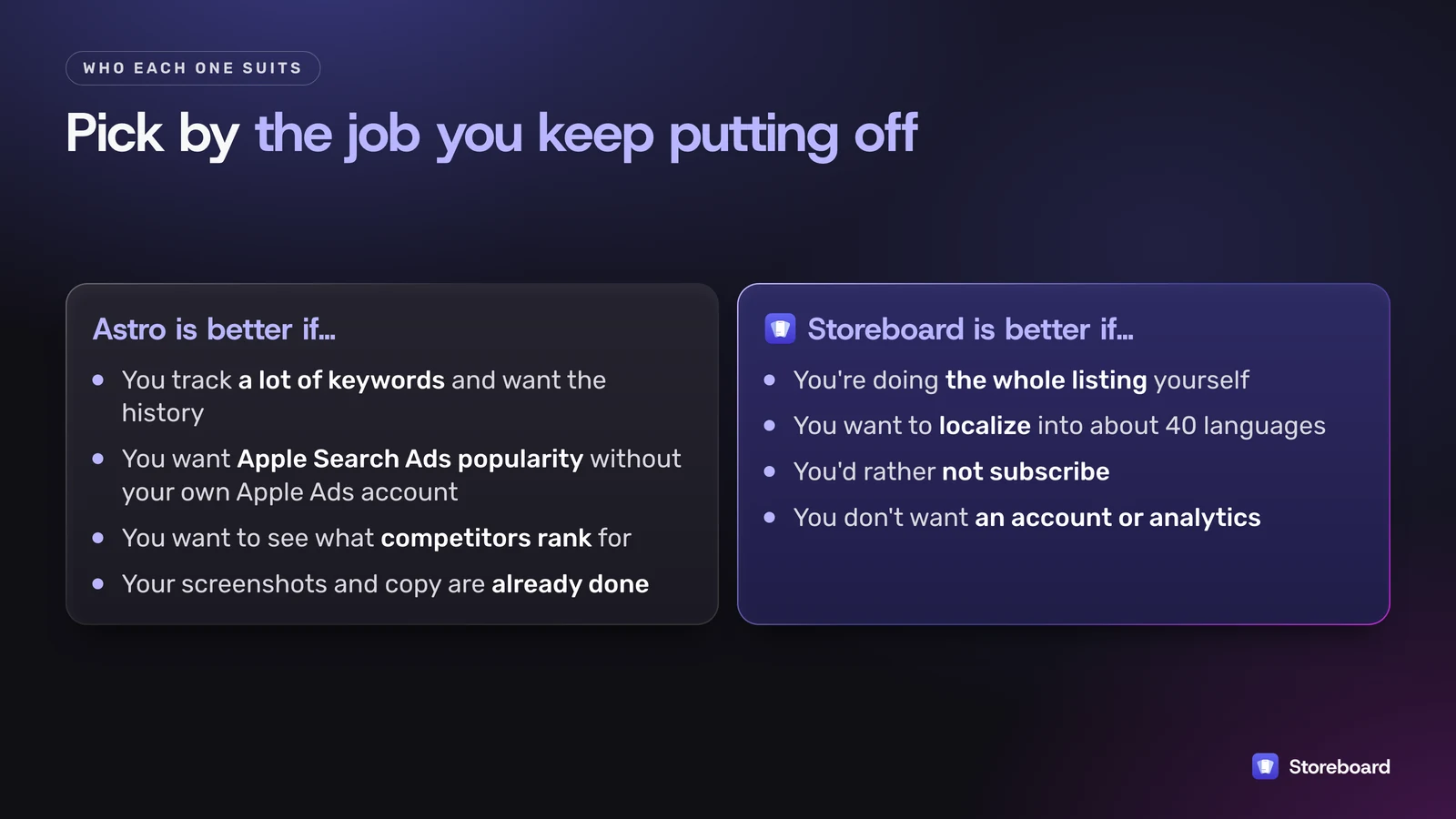
- You track a lot of keywords and want the history. Unlimited keywords and apps at a flat price, with charts going back, is exactly what a tracker should do. Storeboard keeps a local trend, but it isn't a server watching the store around the clock.
- You want Apple Search Ads popularity without your own Apple Ads account. Astro says it supplies that. Storeboard shows Apple's own figure only if you link your Apple Ads account; otherwise it estimates.
- You want to see what competitors rank for. A keyword database built up across users can answer "what does this app rank for?" quickly.
- Your screenshots and listing copy are already done. If you only need keywords, Storeboard's screenshot and publishing tools are features you'd be ignoring.
Where is Storeboard the better choice?
- You're doing the whole listing yourself. Keywords are one field out of many. The rest is screenshots, captions, the subtitle, the description, translations and uploading. Storeboard does those in the same project.
- You want to localize. Translating the listing and screenshot captions into about 40 languages is built in, free with Apple Intelligence or a few dollars with your own key.
- You'd rather not subscribe. Free to start, US$49.99 once for Pro.
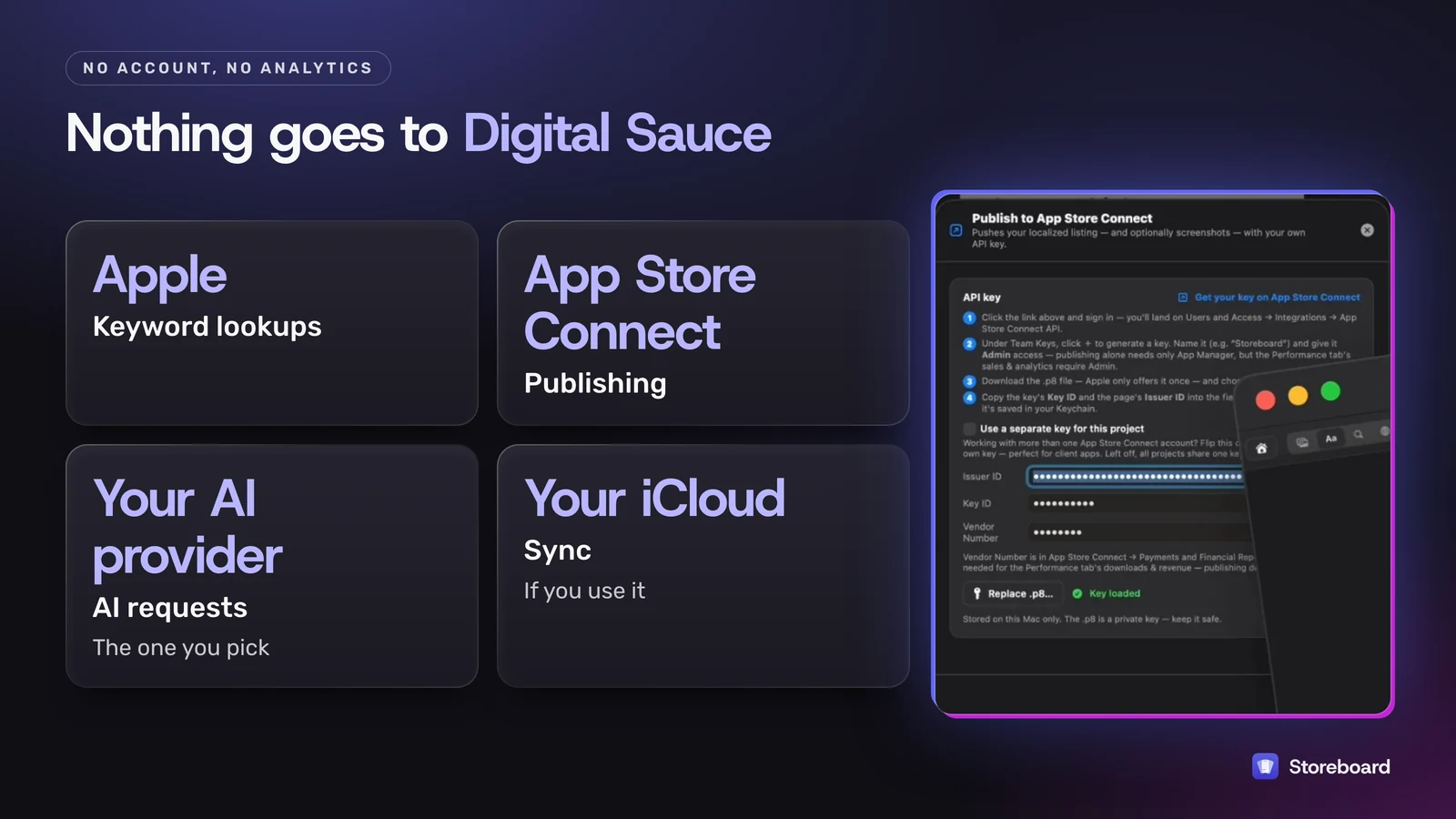
- You don't want an account or analytics. Nothing goes to Digital Sauce. Keyword lookups go to Apple, publishing goes to App Store Connect, AI requests go to the provider you pick, and sync, if you use it, goes through your own iCloud.
Can an AI agent manage my App Store listing through MCP?
With Storeboard, yes. Storeboard is a native Mac app that manages your whole App Store presence: screenshots and other media, listing metadata, keywords, coverage, performance and competitors, each on its own tab, published straight to App Store Connect. It also runs a local MCP server, so you can drive it yourself or let your coding agent (Claude Code, Cursor or Codex) do the work. I personally let the agent handle most of it.
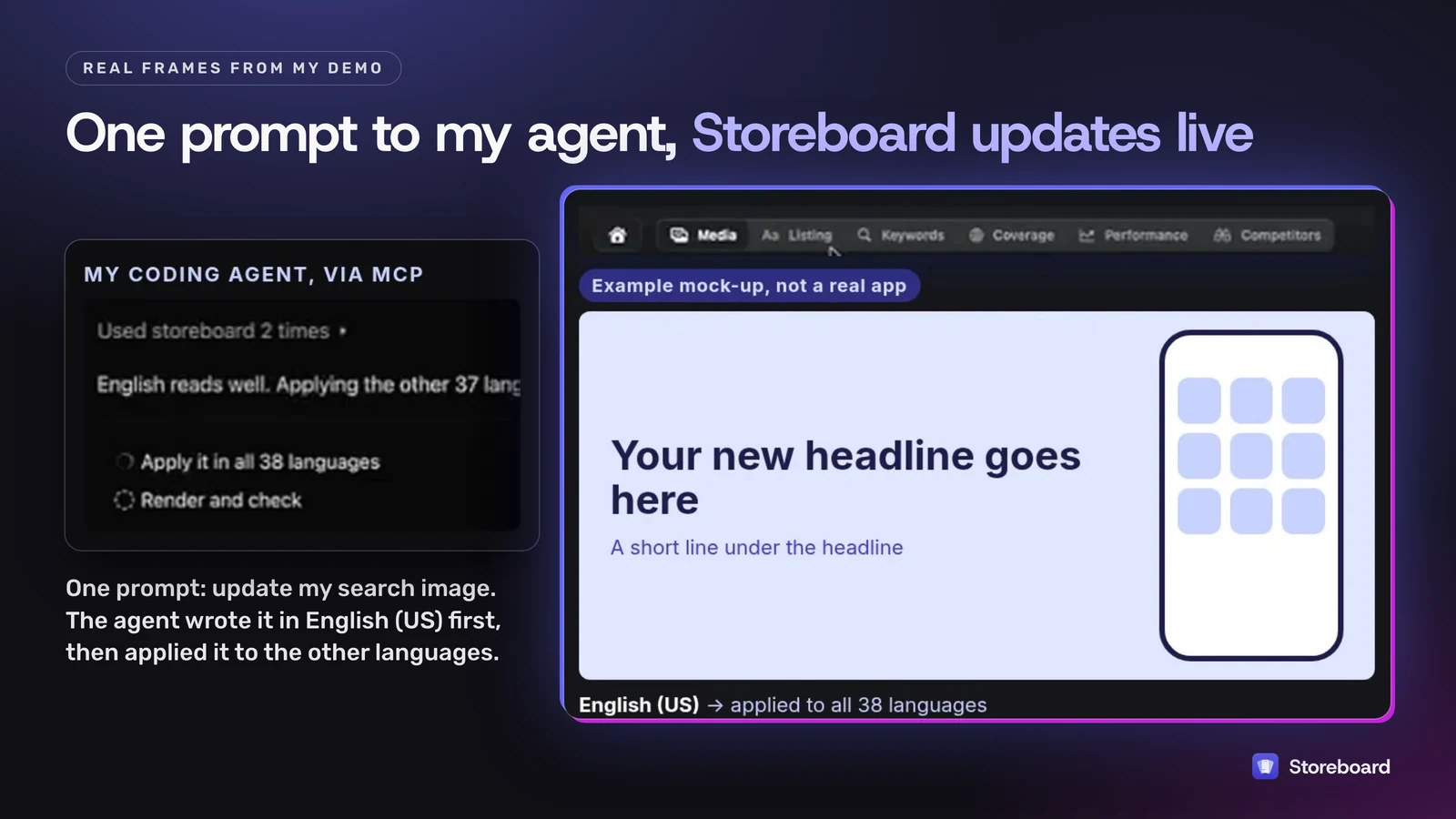
A real example from my demo video: I asked my agent to update my App Store search image to match a social post that was doing better than the old image. It wrote the new headline in English (US) first, kept another company's brand name out of the image, then applied it to the other languages in one batch. In the demo, the agent applied it to all 38 languages while Storeboard updated live beside it. The translations are AI's best guess: a pretty decent job, but a native speaker is better.
How it works:
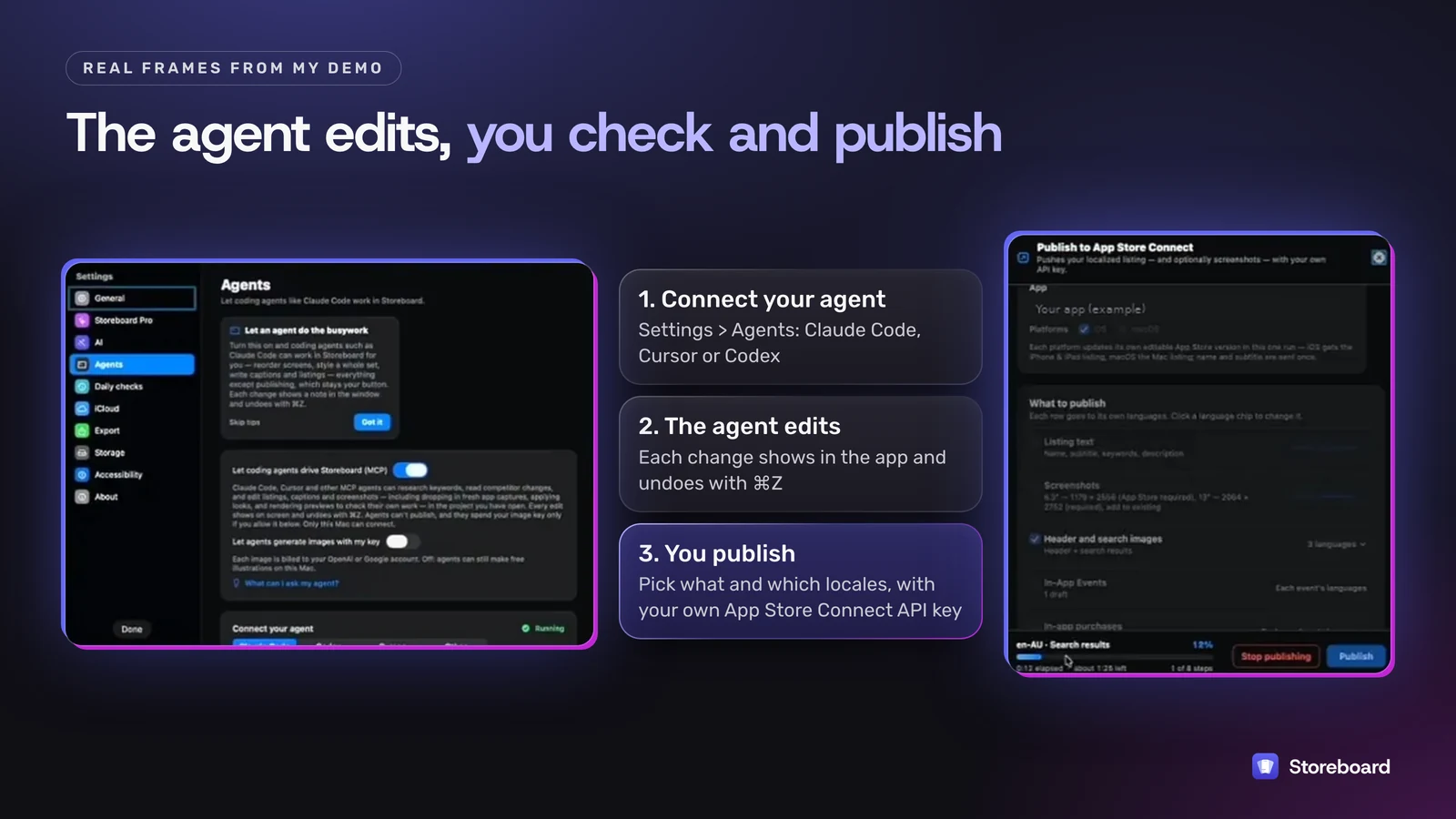
- Connect your agent in Storeboard's Settings, under Agents.
- Ask in plain English. Because the agent has the context of the whole project, you can ask it to find new competitors and tell you what they're shipping, summarize your keywords over the last 7 days, or tell you whether conversion is up or down and why.
- Check it in the app. Storeboard isn't headless. Every change shows on screen, you can click through each language, and you can undo with ⌘Z.
- Publish yourself. Agents can't publish. You pick what to send and which locales, Storeboard pushes it to App Store Connect with your own API key, and you press Add for Review there.
Astro's docs also list an MCP server, marked beta, and a library of prompts for it (checked 4 November 2026). I haven't used it, so I won't rank one against the other. The practical difference is what sits behind each server: a keyword and ranking tracker in Astro's case, and the whole listing, from screenshots to publishing, in Storeboard's. Get Storeboard on the Mac App Store or watch the 8-minute demo.
What does each cost over three years?
List prices on 3 November 2026, assuming nothing changes (it will). This isn't like-for-like: Appfigures and AppTweak sell far more than keywords. It's here because "what will this cost me by year three?" is the question most indie devs actually ask.
Three years of list price in US dollars, before tax. Storeboard's US$49.99 is an early-adopter price. Apple sets the local price in your currency.
What about Appfigures, AppTweak and Sensor Tower?
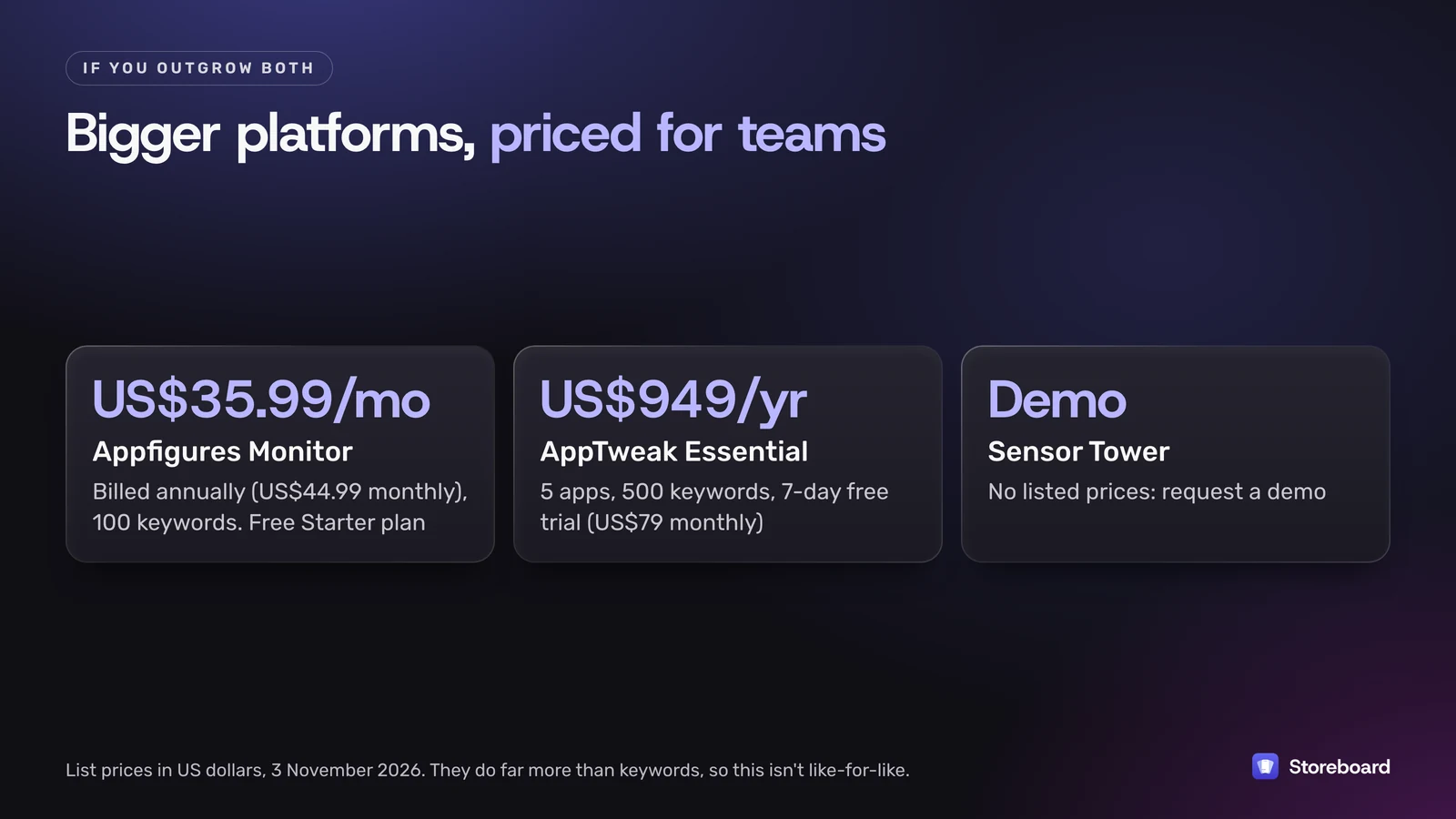
These are the tools people mean by "Appfigures alternative" or "Sensor Tower alternative". They're bigger platforms, priced for teams, and most solo devs don't need them yet.
- Appfigures has a free Starter plan. Keyword tracking starts at Monitor: US$44.99 a month billed monthly, or US$35.99 a month billed annually, for 100 keywords. Optimize is US$149.99 a month (US$119.99 billed annually) for 500 keywords. Its strength is putting downloads, revenue, reviews and rankings in one dashboard.
- AppTweak starts at Essential: US$79 a month billed monthly or US$949 a year for 5 apps and 500 keywords, with a 7-day free trial. Grow starts at US$299 a month.
- Sensor Tower doesn't list prices; its pricing page asks you to request a demo. It's market intelligence for companies tracking whole categories.
If you're one person with one or two apps, Astro or Storeboard (or both) cover the keyword side for a fraction of the cost. Move up when you need competitor revenue estimates or a team dashboard.
Which should you choose?
| If you… | Choose |
|---|---|
| Only want keyword research and rank history, lots of keywords | Astro |
| Need screenshots, listing copy, translations and publishing too | Storeboard |
| Want to spend nothing until it's working | Storeboard Free |
| Want deep rank history and a listing studio | Both: Astro to track, Storeboard to build and publish |
| Need revenue and download estimates for competitors | Appfigures or AppTweak |
My honest take: start with whichever matches the job you keep putting off. If that's "redo the screenshots and translate the listing", it's Storeboard. If it's "watch 300 keywords every day", it's Astro.
Try Storeboard: ASO Assistant free
Keyword research, screenshots, translations and publishing to App Store Connect, all on your Mac. No account, nothing uploaded.
Download free on the Mac App StoreQuestions
Is Astro ASO free?
Not for ongoing use. On 3 November 2026 Astro's website listed one plan, a single-Mac license at US$9 a month billed annually (US$108 a year), with a 14-day refund window. Its privacy policy also mentions a free, limited demo you can download without an account. Check tryastro.app for the current price.
Is there a one-time-purchase ASO tool?
Yes. Storeboard: ASO Assistant is free on the Mac App Store, and Storeboard Pro is a one-time US$49.99 in-app purchase with no subscription (an early-adopter price that Digital Sauce plans to raise). Astro, Appfigures and AppTweak are all subscriptions.
Do I need Appfigures as an indie dev?
Probably not on day one. Appfigures has a free Starter plan, and on 3 November 2026 its plans with keyword tracking started at Monitor, US$44.99 a month billed monthly (or US$35.99 a month billed annually) for 100 keywords. It earns its price when you want downloads, revenue, reviews and competitor data in one dashboard, not just keywords.
Does Storeboard upload my data?
No. Storeboard has no account, no analytics and no server of its own. Projects, screenshots and API keys stay on your Mac (keys in the macOS Keychain), and anything synced goes through your own iCloud. Keyword lookups send the search term to Apple's public App Store endpoints, and if you add your own Anthropic, OpenAI or Google key, text goes straight from your Mac to that provider.
Does Astro design App Store screenshots or publish to App Store Connect?
Not that I could find. On 3 November 2026 Astro's website and docs covered keyword research, rank tracking, ratings, competitor keywords, CSV import and export and an MCP server, but not screenshot design or publishing a listing to App Store Connect. Check its docs if that has changed.
Can an AI agent manage my App Store listing with Storeboard?
Yes. Storeboard runs a local MCP server on your Mac, so a coding agent such as Claude Code, Cursor or Codex can edit your screenshots, listing text and keywords and read your keyword, coverage, performance and competitor data. Every change shows in the app and can be undone, and publishing to App Store Connect stays with you. Astro's docs also list an MCP server, marked beta.
Can I use Astro and Storeboard together?
Yes. They don't conflict. A sensible split is Astro for long-running rank history across many stores, and Storeboard for designing screenshots, writing and localizing the listing, and pushing it to App Store Connect.
Sources
Read on 3 November 2026 (Melbourne time).
- Astro home and pricing
- Astro docs
- Astro privacy policy
- Appfigures pricing
- AppTweak pricing
- Sensor Tower pricing
- Storeboard: ASO Assistant on the Mac App Store
- Storeboard pricing
- Storeboard privacy policy